

For a small business, every working hour matters. Employees may work different shifts, handle multiple responsibilities, work remotely, or contribute to several projects during the same day. Without an organized way to record those hours, it can become difficult to manage payroll, overtime, attendance, scheduling, and overall workforce operations.
Many small businesses initially rely on paper timesheets or spreadsheets to track employee hours. These methods may work when a company has only a few employees and simple schedules. However, as the business grows, manually collecting and checking working hours can become time-consuming and prone to errors.
Employee time tracking software provides a more organized way to record working hours and manage workforce information. Depending on the system, employees can clock in and out digitally, managers can review timesheets, and businesses can monitor overtime, attendance, and scheduled versus actual hours.
This complete guide explains employee time tracking for small businesses, why it matters, the different methods available, common challenges, and how to choose a system that fits your business.
What Is Employee Time Tracking?
Employee time tracking is the process of recording the amount of time employees spend working. A time tracking system may record when an employee starts and finishes work, breaks, overtime, attendance, project hours, or time spent on specific tasks.
For hourly employees, time tracking can be particularly important because recorded hours may be used to calculate payroll. For salaried employees, time tracking can still provide useful information about attendance, workload, project allocation, and workforce planning.
Modern employee time tracking is not limited to simply recording clock-in and clock-out times. Businesses can connect time tracking with employee scheduling, timesheets, attendance management, payroll processes, and workforce reporting.
For a small business, this can create a more organized approach to managing employee hours without requiring managers to maintain multiple manual records.
Why Is Employee Time Tracking Important for Small Businesses?
Small businesses often operate with limited staff and resources. Owners and managers may be responsible for HR, payroll, scheduling, operations, and other responsibilities at the same time.
When employee hours are tracked manually, these responsibilities can take more time than necessary.
An organized employee time tracking process provides a reliable record of working hours. Managers can use this information to review attendance, calculate hours, identify overtime, and understand staffing requirements.
Accurate time records can also improve transparency. Employees can see how their working hours are recorded and report discrepancies when necessary.
For growing businesses, time tracking can become an important part of creating consistent workforce management processes.
How Does Employee Time Tracking Work?
The exact process depends on the system a business uses.
With a basic digital time tracking system, an employee may clock in when starting a shift and clock out when finishing. The system records the timestamps and stores them electronically.
Some systems allow employees to record breaks, submit timesheets, assign hours to projects, or use mobile devices when working away from the office.
Managers can then review the records through a centralized dashboard. Depending on the software, they may also be able to compare recorded hours with employee schedules, identify overtime, approve timesheets, and generate reports.
This reduces the need to collect individual paper records or spreadsheets from employees.
Common Employee Time Tracking Methods for Small Businesses
Small businesses can choose from several time tracking methods. The appropriate option depends on the size of the workforce, work environment, scheduling complexity, and administrative requirements.
Paper Timesheets
Paper timesheets are one of the simplest methods. Employees manually write down their start time, end time, breaks, and total hours.
Although inexpensive, paper records require manual calculations and can be difficult to organize. They may also be misplaced or contain incomplete information.
Paper timesheets are generally more suitable for very small teams with simple schedules than for businesses that need detailed reporting or automation.
Spreadsheet Time Tracking
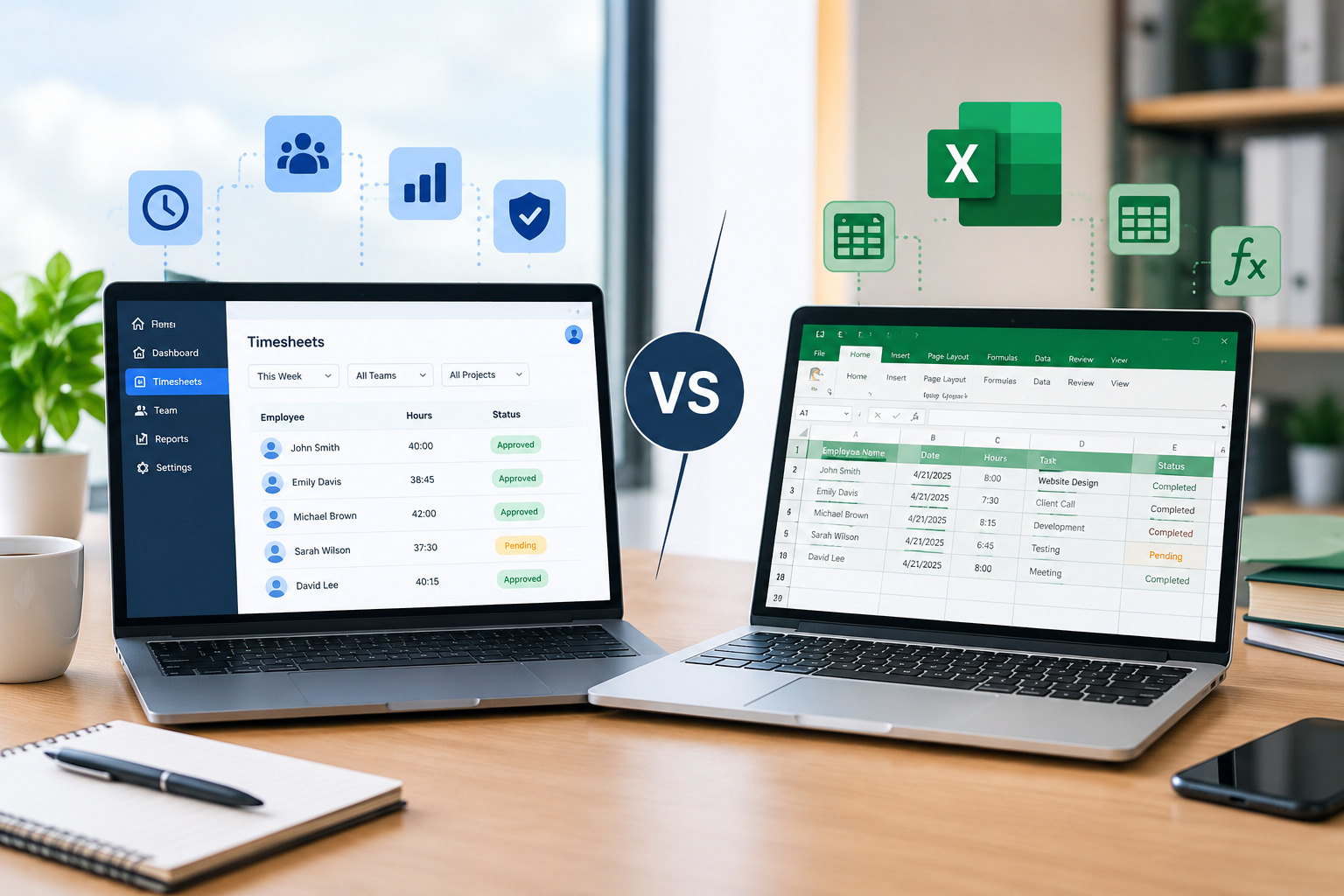
Spreadsheets are another common starting point for small businesses. Employees enter their working hours into Excel or another spreadsheet program, and formulas can be used to calculate totals.
Spreadsheets can work well when the workforce is small and schedules are straightforward. However, they still depend heavily on manual data entry.
As the business grows, managers may have to collect multiple files, check formulas, correct errors, and consolidate information before payroll.
Businesses looking to move beyond spreadsheets can also read our guide on How to Track Employee Hours Without Spreadsheets.
Digital Timesheets
Digital timesheets provide a more organized alternative to paper records and spreadsheets.
Employees can enter their working hours through an online system, while managers can review and approve the records digitally.
Because information is stored centrally, digital timesheets can make it easier to maintain employee records and reduce the risk of losing individual files.
Time Clock Systems
A digital time clock allows employees to clock in and out electronically. Depending on the system, employees may use a PIN, employee ID, access card, or another authentication method.
This approach can work well for small businesses where most employees work at the same physical location.
Mobile Time Tracking
Mobile time tracking allows employees to record their working hours using smartphones or tablets.
This can be useful for businesses with field workers, remote employees, contractors, or teams that work across different locations.
Employees do not necessarily need to be at a fixed office workstation to record their hours.
Cloud-Based Time Tracking Software
Cloud-based time tracking software provides centralized access to employee hours through an online platform.
Employees can record their working time, while managers can review records, approve timesheets, monitor overtime, and generate reports.
For small businesses that expect to grow, cloud-based systems can provide a more scalable approach than manually maintained records.
Employee Time Tracking vs. Timesheets
Although the terms are sometimes used interchangeably, employee time tracking and timesheets are not exactly the same.
A timesheet is generally a record of employee working hours. Time tracking is the broader process of collecting, managing, reviewing, and using that information.
A manual timesheet may require an employee to enter hours at the end of the day or week. A time tracking system may automatically record clock-in and clock-out times and organize the information for managers.
Small businesses should consider whether they simply need a digital place to enter hours or whether they would benefit from automated time collection and workforce reporting.
For a deeper comparison, see Time Tracking Software vs. Timesheets.
Benefits of Employee Time Tracking for Small Businesses
One of the biggest benefits of time tracking is improved visibility into working hours.
A small business owner can see how many hours employees are working and compare those hours with scheduled shifts. This information can help identify staffing issues and recurring overtime.
Time tracking can also reduce administrative work. Instead of manually adding employee hours and checking multiple spreadsheets, managers can use a centralized system to review records.
Accurate time records can support payroll preparation by providing organized information about employee hours.
Another benefit is better scheduling. When businesses understand how many hours employees actually work, they can use historical data to create more realistic schedules.
Time tracking can also help businesses identify patterns. For example, if employees regularly work beyond their scheduled shifts, management may need to review staffing levels or shift structures.
How Time Tracking Helps With Payroll
Payroll accuracy is one of the main reasons small businesses track employee hours.
For hourly workers, payroll calculations depend on the number of hours worked. Missing or incorrect time records can therefore create payroll problems.
A digital time tracking system can organize employee working hours and make them easier to review before payroll processing.
Businesses should still have a process for checking unusual or missing records. Automated systems are designed to reduce manual work, but managers should review exceptions before finalizing payroll.
How Time Tracking Helps Manage Overtime
Overtime can increase labor costs, particularly when it occurs regularly or unexpectedly.
Time tracking gives managers a clearer view of how many hours employees are working. When the system is connected with employee schedules, managers can compare planned hours with actual hours.
For example, if employees repeatedly work beyond the end of their scheduled shifts, the business can investigate why the additional hours are occurring.
Better visibility can support more informed scheduling decisions and help managers address recurring overtime patterns.
For related information, read How to Manage Employee Overtime Through Better Scheduling.
Time Tracking and Employee Scheduling
Employee scheduling and time tracking work best when they complement each other.
A schedule tells employees when they are expected to work, while time tracking records when they actually work.
Comparing these two types of information can reveal differences between planned and actual hours.
For example, a business may discover that certain shifts regularly require more staffing than originally planned. Alternatively, employees may consistently work beyond scheduled hours.
These insights can help small businesses make future schedules more realistic.
Businesses can explore employee scheduling for small businesses to learn more about creating efficient schedules.
Employee Time Tracking for Remote Workers
Remote work creates different time tracking requirements compared with traditional office environments.
Employees may work from home or another location, so a physical time clock is not practical.
Cloud-based time tracking software allows remote employees to record working hours through a computer or mobile device.
However, businesses should clearly communicate their expectations. Employees should understand when they need to record time, how breaks are handled, and how corrections should be requested.
Time tracking should focus on recording legitimate working hours rather than unnecessary monitoring of employees.
Employee Time Tracking for Field Workers
Some small businesses have employees who spend most of their working day away from the office.
Examples include service technicians, maintenance workers, contractors, installers, sales representatives, and other field-based employees.
Mobile time tracking can provide a practical solution for these teams. Employees can record their hours using a smartphone or tablet rather than returning to an office to complete a timesheet.
Depending on the software, businesses may also be able to associate working hours with projects, locations, or customers.
Employee Time Tracking Across Multiple Locations
Small businesses with multiple branches, stores, offices, or work sites can face additional time tracking challenges.
Using separate spreadsheets for each location can make it difficult to get a complete picture of employee hours.
A centralized system can allow managers to maintain employee time records in one place while still organizing information by location.
This can make workforce reporting and scheduling easier to manage as the business expands.
How to Choose Employee Time Tracking Software for a Small Business
Choosing employee time tracking software should begin with the company’s actual requirements.
A small business should consider how many employees need to use the system, where they work, how schedules are managed, and whether the business has hourly or salaried employees.
The software should also be easy for employees to use. If clocking in or submitting time is complicated, employees may be less likely to use the system consistently.
Managers should consider reporting capabilities as well. Even a small business may eventually need reports covering employee hours, overtime, attendance, or scheduled versus actual working time.
Scalability is another important consideration. A system that works for ten employees should ideally continue to be useful as the company grows.
Important Features to Look For
Different businesses have different requirements, but several features can be particularly useful.
An effective system may include digital clock-in and clock-out functionality, employee timesheets, overtime tracking, attendance records, schedule integration, mobile access, reporting, and multiple-location support.
Some businesses may also need project-based time tracking. This is especially useful when employees work on multiple client projects and the business needs to understand how working hours are allocated.
Integration with other workforce processes can also reduce duplicate data entry.
How to Implement Time Tracking in a Small Business
Introducing a new time tracking system is easier when the business first evaluates its existing process.
Start by identifying how employees currently record their hours and what problems occur. Are employees forgetting to submit timesheets? Are managers spending too much time checking spreadsheets? Is overtime difficult to calculate?
Once the main problems are clear, select a system that directly addresses them.
Employees should receive clear instructions before the new system becomes mandatory. Explain how to clock in and out, record breaks, correct mistakes, and report technical problems.
The first few weeks should include regular reviews to identify issues and ensure that employees are using the system correctly.
How to Encourage Employee Adoption
Employees may be hesitant about a new time tracking system if they do not understand why it is being introduced.
Businesses should explain the practical purpose of the system. It may be intended to make payroll more accurate, reduce paperwork, simplify timesheets, or improve scheduling.
The system should also be easy to use.
Clear policies are important as well. Employees should know what information is collected, who can access it, and how time records are used.
Transparency can help create a more consistent time tracking process.
Common Time Tracking Mistakes Small Businesses Should Avoid
One common mistake is choosing software with more complexity than the business actually needs.
A small company does not necessarily need every advanced feature available. The system should solve the company’s current problems while providing enough flexibility for future growth.
Another mistake is failing to establish clear policies. Employees need to know exactly when and how they should record their working hours.
Businesses should also avoid relying entirely on automated calculations without reviewing exceptions. Missed punches, incorrect entries, and unusual working hours may still require human review.
Finally, companies should consider data security and privacy when selecting a system that stores employee information.
How to Improve Employee Time Tracking Accuracy
Accuracy begins with a simple process.
Employees should be able to record their hours without unnecessary steps. Managers should have a clear procedure for correcting missing or incorrect entries.
Regular reviews can also help identify recurring problems.
For example, if several employees frequently forget to clock out, the business can determine whether reminders or process changes are needed.
Connecting time tracking with scheduling can further improve accuracy because managers can compare expected working hours with actual recorded hours.
For additional guidance, see How to Track Employee Hours Accurately.
How Time Tracking Supports Small Business Growth
As a small business grows, workforce management becomes more complex.
The company may hire additional employees, introduce new shifts, expand to another location, or adopt remote work.
A manual time tracking process that worked for five employees may become difficult to manage with twenty or fifty employees.
Implementing a scalable system early can help businesses establish consistent processes before workforce administration becomes overwhelming.
Time tracking data can also provide useful historical information. Managers can analyze working hours, overtime patterns, staffing requirements, and scheduling differences over time.
Employee Time Tracking and Workforce Management
Time tracking should not be viewed as an isolated HR task.
Employee hours can provide useful information for workforce planning, scheduling, attendance management, payroll preparation, and operational reporting.
When these processes are connected, businesses can make better use of the information they already collect.
For example, time tracking can show how many hours employees actually work, while scheduling shows how many hours were planned. Comparing the two can help managers understand staffing requirements.
This is one reason workforce management platforms can be useful for growing businesses.
How Office1Solution Can Help Small Businesses
Small businesses looking to improve employee time tracking can benefit from a broader workforce management approach.
Office1Solution supports workforce management processes including employee scheduling, timesheets, HR operations, contractor management, compliance monitoring, and workforce reporting.
Instead of managing separate spreadsheets for different workforce activities, businesses can use a centralized approach to organize employee information.
For a small business, this can provide a foundation for managing employee hours while preparing for future workforce growth.
Frequently Asked Questions About Employee Time Tracking
What is the easiest way for a small business to track employee hours?
A digital time tracking system can provide a straightforward way for employees to record working hours and for managers to review them. The best option depends on whether employees work in an office, remotely, in the field, or across multiple locations.
Do small businesses need employee time tracking software?
Not every small business needs advanced software. Companies with a very small workforce and simple schedules may manage with basic timesheets. However, software can become useful when manual tracking starts creating administrative work or accuracy problems.
Can employee time tracking help with payroll?
Yes. Organized time records can provide useful information for calculating hours worked, particularly for hourly employees. Businesses should review records and apply their applicable payroll policies before processing payments.
How do small businesses track remote employee hours?
Remote employees can use cloud-based time tracking software or mobile applications to record their working hours. Companies should establish clear policies regarding clock-in times, breaks, corrections, and reporting.
Can time tracking help reduce overtime?
Time tracking provides visibility into actual working hours. When combined with scheduling information, it can help managers identify recurring overtime patterns and make adjustments to workforce planning.
Should time tracking and scheduling be connected?
Connecting the two can provide useful information about scheduled versus actual hours. This can help businesses identify staffing gaps, attendance issues, and recurring overtime.
Is spreadsheet time tracking enough for a small business?
It can be enough for a very small business with simple schedules. However, spreadsheets rely heavily on manual data entry and can become harder to manage as the workforce grows.
What should small businesses consider when choosing time tracking software?
Businesses should consider ease of use, time tracking functionality, reporting, mobile access, scheduling integration, overtime management, security, scalability, and compatibility with existing workforce processes.
Final Thoughts
Employee time tracking can give small businesses greater visibility into working hours while reducing the administrative effort involved in managing timesheets.
While paper records and spreadsheets may be suitable for very small teams, they can become difficult to maintain as the business adds employees, shifts, locations, and more complex scheduling requirements.
Digital timesheets, mobile applications, online time clocks, and cloud-based workforce management platforms provide alternatives that can make employee hour tracking more organized and scalable.
The right solution depends on your workforce, not simply the size of your company. Consider how employees work, where they work, how payroll is handled, how schedules are created, and what reports managers need.
With the right process and technology, small businesses can create more accurate employee time records while spending less time on manual administration and more time managing their growing workforce.
Recent Posts
- Time and Attendance Software: Complete Guide for Employers
- Time and Attendance: What’s the Difference Between the Two?
- How to Reduce Timesheet Errors and Improve Payroll Accuracy
- Timesheet App for Employees: Features, Benefits & Best Practices
- Timesheet Software vs. Excel: Which Is Better for Businesses?
Stay Ahead. Simplify Workforce Management.
Empower your teams to work efficiently with a unified workforce platform built for clarity, control, and actionable insights across your organization.