
Managing employee working hours accurately is an important part of running a successful business. Whether a company has a small team working in an office or a large workforce spread across multiple locations, tracking work hours, breaks, overtime, and attendance can become challenging without an organized system.
Traditional methods such as paper timesheets and spreadsheets may work for small teams, but they often require manual data entry, repeated follow-ups, and time-consuming calculations. A timesheet app for employees offers a more convenient way to record working hours, submit timesheets, and maintain accurate time records.
With features such as digital time entry, automated calculations, approval workflows, and reporting, employee timesheet apps can help businesses simplify time tracking and improve workforce management.
In this guide, we will explore what an employee timesheet app is, its essential features, key benefits, best practices, and how businesses can choose the right solution for their needs.
What Is a Timesheet App for Employees?
A timesheet app for employees is a digital application that allows workers to record, manage, and submit their working hours. Depending on the application, employees can enter time manually, use a timer, or record their hours through clock-in and clock-out functionality.
Managers can use the app to review employee timesheets, approve submitted hours, monitor overtime, and prepare time records for payroll processing.
Many timesheet apps are available through mobile devices, web browsers, or desktop applications. This allows employees to record their working hours from different locations, depending on the features supported by the software.
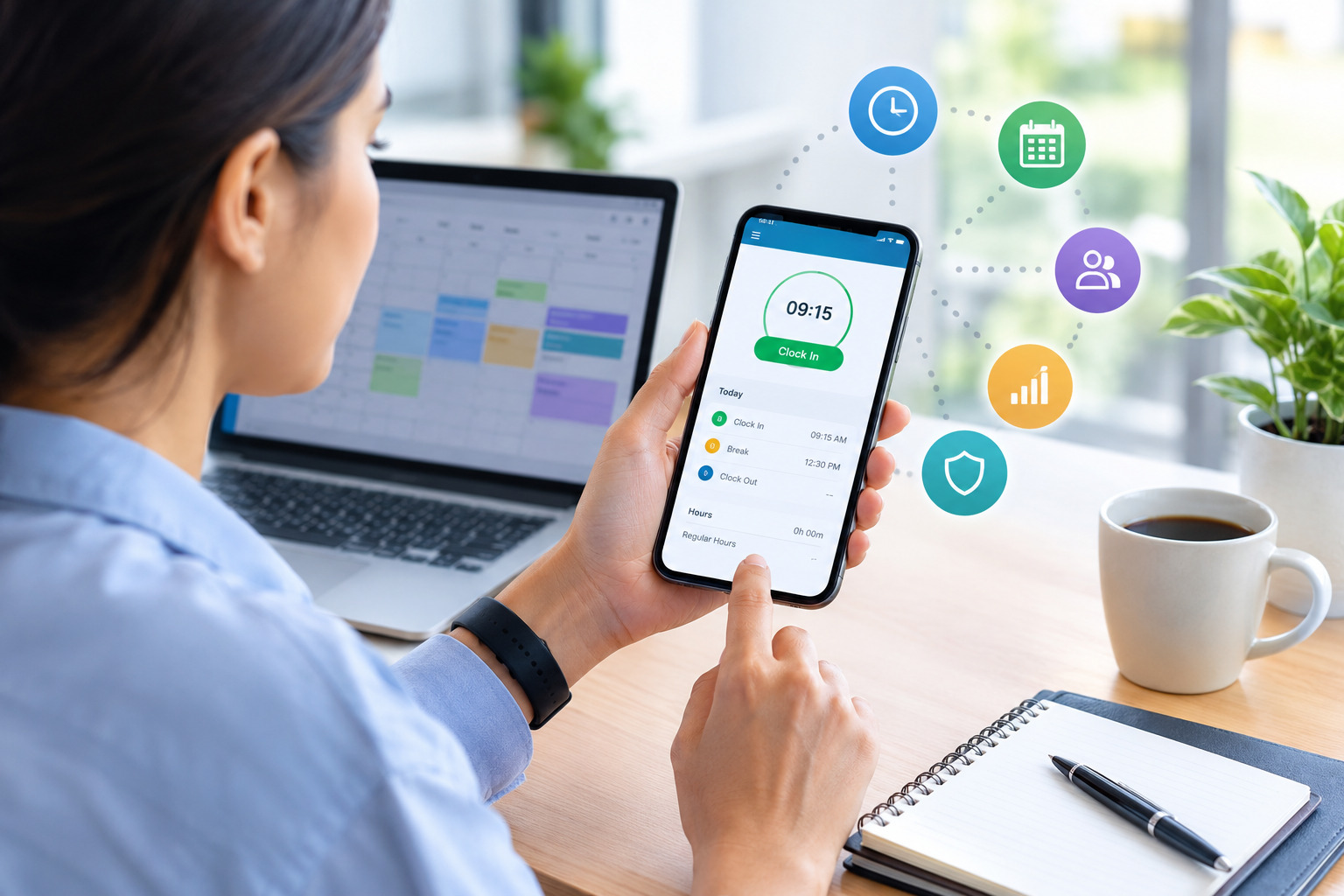
For example, an employee working a regular office shift can clock in at the beginning of the day, record a break, and clock out after completing the shift. The app can calculate total working hours and send the information to a manager for approval.
For businesses with remote employees, field workers, or multiple locations, a timesheet app can provide a centralized way to collect employee time records.
For small businesses, combining time tracking with effective employee scheduling can help managers coordinate shifts, monitor attendance, and maintain accurate records of employee working hours.
Why Do Businesses Need an Employee Timesheet App?
Accurate time tracking helps businesses understand how employees spend their working hours and ensures that time records are available for payroll, reporting, and workforce planning.
Without a structured system, managers may need to collect timesheets through emails, review spreadsheets, correct calculation errors, and follow up with employees who have not submitted their records.
These activities can increase administrative workload and make it harder to maintain consistent time records.
An employee timesheet app can help businesses address these challenges by providing a more organized process for recording and managing work hours.
Businesses may benefit from an employee timesheet app when they need to:
- Track working hours across different shifts or locations.
- Reduce manual calculations and repetitive data entry.
- Monitor overtime and employee attendance.
- Collect timesheets from remote and field employees.
- Simplify manager approvals.
- Prepare accurate payroll records.
- Generate reports on employee hours and labor costs.
- Maintain consistent timekeeping procedures.
The right app depends on the company’s workforce size, scheduling requirements, payroll process, and reporting needs.
Essential Features of a Timesheet App for Employees
When evaluating a timesheet app, businesses should focus on features that make time tracking accurate, convenient, and easy to manage.
1. Employee Clock-In and Clock-Out
Clock-in and clock-out functionality allows employees to record when their shifts begin and end.
Depending on the app, employees may be able to clock in through a mobile device, web browser, or supported time clock.
This feature reduces the need to enter start and finish times manually and can help managers review attendance records more efficiently.
Some applications also provide reminders when employees forget to clock out. These alerts can help reduce incomplete time records.
Businesses should choose a clock-in system that fits their work environment and clearly communicates the rules employees must follow.
2. Manual Timesheet Entry
Not every employee works according to a fixed schedule. Some workers perform project-based tasks, travel between locations, or work flexible hours.
Manual timesheet entry allows employees to enter their working hours when real-time clocking is not practical.
For example, a consultant may record the time spent on different client projects at the end of the day. A remote employee may enter working hours for a task that was completed offline.
A useful timesheet app should make manual entries easy while allowing managers to review unusual or incomplete submissions.
3. Automated Working-Hour Calculations
Calculating working hours manually can become difficult when employees have different shift timings, unpaid breaks, or overtime.
An employee timesheet app can calculate total hours using recorded start times, end times, and break durations.
For example, if an employee works from 9:00 AM to 5:30 PM and takes a 30-minute unpaid break, the recorded working time is eight hours.
Automated calculations can reduce arithmetic errors and save time during payroll preparation.
However, businesses should ensure that the app is configured correctly and that calculations follow their applicable work-hour policies.
4. Break and Overtime Tracking
Breaks and overtime can affect total payable hours and workforce costs. A timesheet app may allow employees to record breaks and help managers identify overtime hours.
Some applications support configurable overtime thresholds and alerts when employees approach their scheduled limits.
For example, a manager may review overtime reports to identify departments that regularly require additional hours.
Businesses should verify that the app supports their overtime rules and applicable employment requirements rather than assuming that every system calculates overtime in the same way.
5. Mobile Accessibility
Mobile access is especially useful for remote employees, field workers, traveling staff, and employees who do not work at a fixed desk.
A mobile timesheet app can allow employees to record hours, review their entries, submit timesheets, and receive reminders from their phones.
Depending on the application, employees may also be able to view assigned shifts or request corrections to their records.
Before selecting a mobile app, businesses should check device compatibility, usability, access controls, and whether an internet connection is required for time entry.
6. Timesheet Submission and Approval Workflows
A structured approval process helps ensure that recorded working hours are reviewed before payroll processing.
Many timesheet apps allow employees to submit completed timesheets directly to their managers. Managers can review the entries, approve them, or request corrections.
Some platforms also send notifications about pending approvals and overdue submissions.
This feature is particularly useful for companies with multiple departments or supervisors, where tracking approval status manually can become difficult.
7. Payroll Integration
Payroll preparation often involves transferring approved employee hours into another system.
Some timesheet apps integrate with payroll platforms, while others allow businesses to export timesheet data for processing.
Integration can reduce duplicate data entry and help maintain consistency between approved working hours and payroll records.
Before choosing an app, businesses should confirm that it supports their payroll provider, required data fields, pay periods, and overtime calculations.
8. Reporting and Analytics
Reporting features help managers understand how employee time is distributed across the organization.
Depending on the app, reports may include:
- Total working hours by employee.
- Overtime hours by department.
- Attendance and missing time entries.
- Time spent on projects or tasks.
- Regular and non-regular working hours.
- Labor hours across different locations.
These reports can help businesses identify recurring overtime, review staffing requirements, and understand how working hours affect operational costs.
9. Notifications and Reminders
Employees may forget to submit timesheets, record breaks, or complete clock-out procedures. Managers may also overlook pending approvals when handling several responsibilities.
Automated notifications can remind employees to complete their entries and notify managers when timesheets require review.
This can reduce unnecessary follow-ups and support a more consistent submission schedule.
Businesses should configure reminders carefully so that notifications remain useful rather than overwhelming employees.
10. Data Security and Access Permissions
Employee time records may contain sensitive employment and payroll-related information. Businesses should ensure that records are accessible only to authorized users.
Depending on the provider, timesheet apps may include secure authentication, role-based permissions, activity logs, and data backups.
Managers should be able to access the information they need without automatically receiving unrestricted access to every employee record.
Before adopting an app, review the provider’s privacy policy, security controls, data storage arrangements, and retention practices.
To maintain reliable attendance records, businesses should understand how to track employee hours accurately. This helps managers identify missing entries, verify working hours, and reduce errors in timesheet records.
Benefits of Using a Timesheet App for Employees
An employee timesheet app can improve timekeeping processes for both employees and managers. The benefits depend on the organization’s existing workflow and the features available in the chosen application.
1. Saves Time on Administrative Tasks
Manual timesheet management often involves collecting spreadsheets, checking entries, calculating totals, and following up on missing information.
A timesheet app can automate several of these activities and centralize employee records.
Managers can spend less time maintaining separate files and more time reviewing exceptions, supporting employees, and coordinating daily operations.
For businesses with frequent timesheet submissions, even small improvements in the process can reduce repetitive administrative work.
2. Improves Working-Hour Accuracy
Manual calculations and inconsistent data entry can create errors in employee time records.
Automated calculations, required fields, and validation alerts can help reduce these problems.
Employees can review their recorded hours, while managers can identify incomplete entries before approving the timesheet.
Although an app cannot eliminate every mistake, a well-configured system can make time records easier to verify.
3. Supports More Reliable Payroll Preparation
Payroll teams rely on accurate information about regular hours, overtime, and other payable time.
A timesheet app can provide organized records that managers review before sending the information to payroll.
When a compatible integration is available, approved hours may be transferred directly to the payroll system or exported in a suitable format.
This can reduce repeated data entry and help payroll teams resolve discrepancies earlier.
4. Improves Employee Accountability
A consistent time-tracking process establishes clear expectations for recording and submitting working hours.
Employees know when to clock in, when to record breaks, and when to submit timesheets for approval.
Managers can review missing entries and address recurring issues through a defined process.
Clear policies and transparent records are more effective than relying solely on monitoring tools or assuming that employees will remember every timekeeping requirement.
5. Supports Remote and Distributed Teams
Businesses with employees working from home, in the field, or across different locations need a reliable method for collecting time records.
A mobile or web-based timesheet app can allow employees to submit their hours without visiting a central office or sharing individual spreadsheets.
Managers can review submissions through a shared system, making timekeeping more consistent across distributed teams.
Businesses should choose features appropriate to their work arrangements and avoid collecting unnecessary employee location data.
6. Provides Better Visibility Into Overtime
Recurring overtime can increase labor costs and indicate staffing or scheduling problems.
A timesheet app may provide reports that show which employees or departments regularly record additional hours.
Managers can use this information to review workloads, adjust schedules, or identify where extra staffing may be necessary.
Overtime reports are most useful when considered alongside workload, employee availability, and business demand.
7. Simplifies Timesheet Approvals
Collecting approvals through email or separate spreadsheet files can create delays and uncertainty about which records have been finalized.
An app with an approval workflow provides a clearer process for submitting, reviewing, correcting, and approving timesheets.
Managers can identify pending submissions and resolve discrepancies before payroll deadlines.
This can be especially helpful when several supervisors are responsible for different teams.
8. Supports Better Workforce Planning
Employee time records can help managers understand actual working hours and compare them with planned staffing requirements.
For example, reports may show that certain departments regularly need additional hours during busy periods.
Businesses can use these patterns to review employee scheduling, distribute workloads, and plan staffing more effectively.
For more guidance, see our related resource on employee scheduling for small businesses.
9. Improves Record Organization
A centralized timesheet system can make it easier to retrieve records by employee, date, department, or project.
Instead of searching through email attachments and multiple spreadsheet versions, managers can access records through the app according to their permissions.
Organized records can also support internal reviews and help businesses respond to questions about recorded working hours.
Retention periods and access procedures should follow applicable legal and company requirements.
Digital time tracking can also help businesses avoid common recordkeeping problems. Learn about employee time tracking mistakes and how to avoid them to improve the accuracy of employee work-hour records.
Types of Employee Timesheet Apps
Not every timesheet app is designed for the same purpose. Businesses should understand the main types before selecting a solution.
1. Basic Timesheet Apps
Basic apps allow employees to enter working hours and submit timesheets for review.
They may be suitable for small teams that need a straightforward digital replacement for paper forms or spreadsheets.
2. Clock-In and Clock-Out Apps
These apps focus on recording shift start times, finish times, and breaks.
They can be useful for businesses with hourly employees, fixed shifts, or attendance-tracking requirements.
3. Project-Based Time Tracking Apps
Project-based apps allow employees to record how much time they spend on specific tasks, clients, or projects.
They can help consulting firms, agencies, contractors, and professional services businesses understand project effort and labor costs.
4. Mobile Timesheet Apps
Mobile apps are designed for employees who need to record hours while away from a desk.
They may be useful for field teams, traveling staff, remote workers, and employees working across several locations.
5. Workforce Management Platforms With Timesheets
Some workforce management platforms combine timesheets with employee scheduling, attendance, HR operations, and reporting.
This can be useful for businesses that want to coordinate employee availability, planned shifts, and recorded working hours within a connected workflow.
The best choice depends on whether the business needs basic time entry, attendance management, project tracking, or broader workforce coordination.
Best Practices for Using a Timesheet App
Selecting a timesheet app is only the first step. Businesses also need clear policies and consistent processes to ensure that employees record their hours accurately.
1. Establish Clear Timekeeping Policies
Explain how employees should record their working hours, breaks, overtime, and corrections.
Policies should also specify when timesheets must be submitted and who is responsible for approving them.
Clear expectations help employees follow the same process and reduce misunderstandings.
2. Choose an App That Matches Your Workflow
Avoid selecting software based only on the number of features it offers.
A small business may need simple clock-in and clock-out functionality, while a project-based company may require task-level time tracking.
Evaluate employee numbers, shift patterns, reporting needs, payroll requirements, and mobile accessibility before making a decision.
3. Train Employees Before Implementation
Employees should understand how to use the app, record breaks, correct mistakes, and submit timesheets.
Provide practical instructions and explain whom they should contact if the application is unavailable or an entry is incorrect.
A short training session and written guide can make adoption easier.
4. Encourage Daily Time Entry
Recording working hours at the end of each day can reduce the likelihood of forgotten tasks, inaccurate start times, and incomplete records.
Where possible, employees should enter time as work occurs or follow the company’s designated clock-in and clock-out process.
Daily recording also gives managers an opportunity to identify problems before the end of the pay period.
5. Configure Overtime and Break Rules Correctly
Before launching the app, confirm that working-hour calculations reflect the company’s policies and applicable legal requirements.
Test regular shifts, overnight shifts, unpaid breaks, overtime, and other relevant scenarios.
Review the results before relying on the system for payroll preparation.
6. Set Timesheet Submission Deadlines
Establish a consistent deadline for employees to submit their timesheets and for managers to approve them.
For example, a business may require employees to submit weekly timesheets by the end of the final working day of the week.
The specific deadline should align with the company’s payroll schedule and operational needs.
7. Review Exceptions Regularly
Automated systems can identify missing clock-outs, unusually long shifts, duplicate entries, or pending approvals.
Managers should review these exceptions rather than assuming every recorded entry is correct.
A regular review process can help resolve issues before they affect payroll.
8. Protect Employee Privacy
Use the minimum employee data necessary for legitimate timekeeping purposes.
If the app offers GPS tracking, screenshots, or other monitoring features, evaluate whether they are necessary, explain their use clearly, and follow applicable privacy and employment requirements.
Employees should understand what information is collected, why it is collected, and who can access it.
9. Review Reports to Identify Patterns
Use timesheet reports to examine overtime, workload distribution, and recurring timekeeping issues.
For example, repeated overtime in one department may indicate that schedules need to be adjusted or responsibilities redistributed.
Use reports to improve operations rather than relying on working hours alone as a measure of employee productivity.
10. Review the App’s Performance Periodically
Business requirements change as teams grow, schedules become more complex, and payroll processes evolve.
Periodically review whether the app remains easy to use, produces accurate reports, and integrates with the systems the business depends on.
Collect employee feedback and address recurring problems before they become major obstacles.
Common Mistakes to Avoid When Using an Employee Timesheet App
Even a well-designed app may not deliver the expected results if businesses use it inconsistently.
Relying on Employees to Correct Every Error
Employees should be able to correct inaccurate entries, but managers also need a process for identifying missing or unusual records.
Use available validation features and review exceptions regularly.
Choosing Software Without Checking Payroll Compatibility
A timesheet app may not support every payroll platform or calculation rule.
Confirm compatibility before purchasing a subscription, particularly if the business relies on automated data transfers.
Ignoring Employee Training
If employees do not understand the time-entry process, they may submit incomplete or inconsistent records.
Provide clear instructions and make support available during implementation.
Overcomplicating the Timekeeping Process
Too many mandatory fields, unnecessary notifications, or complicated approval procedures can discourage consistent use.
Configure the app around genuine business requirements and keep the process as straightforward as possible.
Failing to Review Approved Hours
Approval should involve checking the records, not simply clicking a button.
Managers should investigate discrepancies and confirm that timesheets are complete before payroll processing.
Treating Time Tracking as a Measure of Productivity on Its Own
Recorded hours show how much time is logged, but they do not automatically measure the quality or value of an employee’s work.
Use time records alongside relevant performance measures, project outcomes, and workload information.
How to Choose the Best Timesheet App for Employees
Before selecting an app, compare available solutions against the needs of your workforce.
Identify Your Business Requirements
Determine whether your business needs clock-in and clock-out tracking, manual time entry, project tracking, overtime management, or a combination of these features.
Check Ease of Use
Employees should be able to record hours without unnecessary steps. Managers should also find it easy to review entries and resolve exceptions.
Review Mobile and Remote Access
If employees work away from the office, check whether the app supports their devices and internet access conditions.
If offline time entry is important, confirm that the feature is available and understand how records synchronize.
Evaluate Reporting Capabilities
Choose an app that can generate the reports your business needs, such as employee hours, overtime, project time, and missing entries.
Confirm Payroll Integration
Check whether the app integrates with your payroll provider or exports information in the required format.
Ask about supported fields, calculation rules, and how corrections are handled.
Compare Pricing and Total Cost
Review subscription charges, employee limits, setup fees, support options, and the cost of any additional features.
Compare these expenses with the time currently spent maintaining spreadsheets and processing timesheets manually.
Review Security and Privacy
Examine access permissions, authentication, data retention, backup arrangements, and the provider’s privacy practices.
Choose a solution that protects employee information and supports your company’s compliance requirements.
Test Before Full Implementation
If a free trial or demonstration is available, test the app with a small group.
Evaluate how easily employees record hours, how managers approve timesheets, and whether the reports meet your needs.
How Timesheet Apps Work With Employee Scheduling
Employee scheduling and timesheet management are closely related, but they serve different purposes.
Scheduling determines when employees are expected to work. Timesheet tracking records the hours they actually work.
Comparing scheduled hours with recorded hours can help managers identify attendance discrepancies, unplanned overtime, and staffing issues.
For example, an employee may be scheduled to work from 9:00 AM to 5:00 PM but record a later finishing time. A manager can review the difference and determine whether the additional time was approved or needs correction.
When scheduling and timesheet tools work together, businesses may find it easier to coordinate employee availability, manage shift changes, and review actual working hours.
Businesses looking to improve these processes can explore employee scheduling solutions for small businesses.
How Office1Solution Supports Workforce Management
As a business grows, managing employee schedules, working hours, HR processes, and workforce records can become increasingly complex.
Office1Solution offers workforce management software designed to support employee scheduling, timesheets, HR operations, contractor management, compliance monitoring, and workforce reporting.
Businesses evaluating ways to organize their employee time-tracking processes can visit Office1Solution to explore its workforce management solutions.
A connected approach to scheduling and timesheet management can help businesses improve visibility into employee hours, coordinate staffing needs, and reduce repetitive administrative tasks.
When evaluating any workforce management platform, businesses should confirm that the available features match their specific timekeeping, reporting, and payroll requirements.
Frequently Asked Questions
1. What is a timesheet app for employees?
A timesheet app for employees is a digital tool that allows workers to record, review, and submit their working hours. Depending on the application, it may also support clock-in and clock-out tracking, break management, overtime calculations, and manager approvals.
2. What are the main benefits of an employee timesheet app?
The main benefits include easier time entry, automated calculations, organized employee records, simpler approvals, more consistent payroll preparation, and better visibility into overtime and working hours.
3. Can employees use a timesheet app on their phones?
Yes. Many timesheet apps offer mobile applications or mobile-friendly web access. Employees may be able to record hours, submit timesheets, and review entries through their phones, depending on the software.
4. Can a timesheet app calculate overtime automatically?
Some apps can calculate overtime based on configured thresholds and work-hour rules. Businesses should verify that the application supports their policies and applicable employment requirements.
5. Are employee timesheet apps suitable for small businesses?
Yes. A timesheet app can help small businesses organize employee working hours and reduce manual administration. The most suitable option depends on the number of employees, the complexity of schedules, and the available budget.
6. Can timesheet apps integrate with payroll software?
Many applications support payroll integrations or export approved timesheet data. Businesses should confirm that their chosen app is compatible with their payroll provider and required calculations.
7. How can businesses improve timesheet accuracy?
Businesses can improve accuracy by establishing clear timekeeping policies, encouraging timely entries, configuring calculations correctly, training employees, and reviewing missing or unusual records before approval.
8. What is the difference between a timesheet app and an attendance app?
A timesheet app focuses on recording and managing working hours, often including project time and approval workflows. An attendance app primarily tracks attendance events such as clock-in, clock-out, and absences. Some workforce management platforms combine both functions.
9. Are timesheet apps suitable for remote employees?
Yes. Many apps support online time entry for remote employees. Businesses should select a solution that fits their remote-work arrangements and establish clear expectations for recording hours and handling corrections.
10. How much does an employee timesheet app cost?
Pricing varies by provider, employee count, subscription plan, and available features. Some tools offer free plans or trials, while others charge monthly or annual fees. Businesses should compare total costs, including setup, training, and integrations.
11. Is a timesheet app better than an Excel spreadsheet?
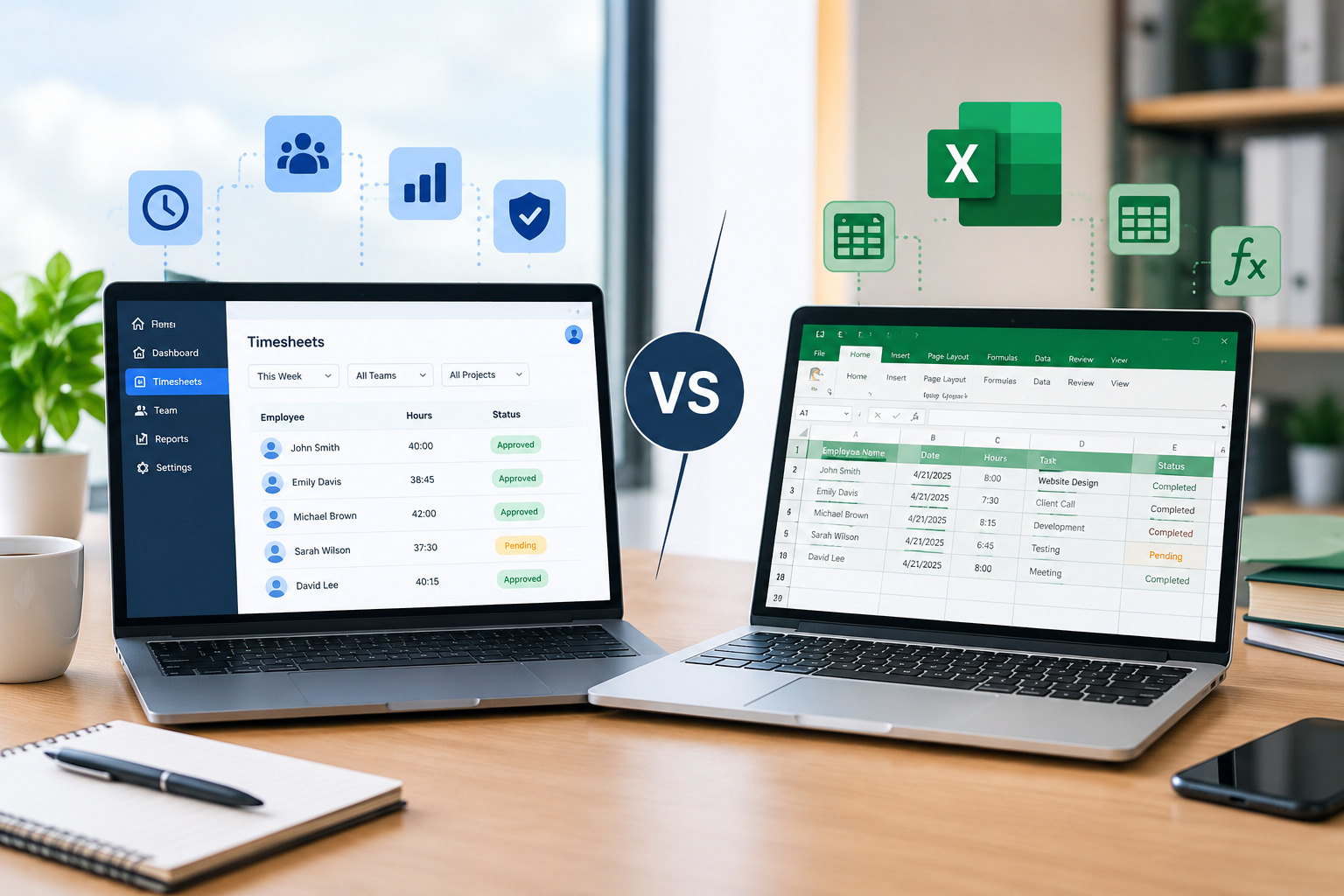
A timesheet app is generally more suitable for businesses that need automated calculations, structured approvals, centralized records, and recurring reports. Excel may be sufficient for small teams with straightforward timekeeping requirements.
12. How often should employees submit timesheets?
The appropriate frequency depends on the business’s payroll schedule and timekeeping policy. Some organizations require daily entries and weekly submission, while others use different reporting periods. The key is to establish a consistent process and communicate deadlines clearly.
Conclusion
A timesheet app for employees can make workforce time tracking more organized, accessible, and efficient. Features such as clock-in and clock-out tracking, automated calculations, overtime management, approval workflows, and reporting can help businesses maintain consistent records and reduce repetitive administrative work.
However, successful implementation requires more than choosing an application. Businesses should establish clear timekeeping policies, train employees, protect personal information, configure calculations correctly, and review timesheets before payroll processing.
For small businesses, the right app can provide a practical way to move beyond manual spreadsheets. For larger organizations, it can support more consistent timekeeping across teams, departments, and locations.
By selecting a solution that matches their operational requirements and following effective time-tracking practices, businesses can improve employee time management and build a more reliable workforce management process.
Recent Posts
- Time and Attendance Software: Complete Guide for Employers
- Time and Attendance: What’s the Difference Between the Two?
- How to Reduce Timesheet Errors and Improve Payroll Accuracy
- Timesheet App for Employees: Features, Benefits & Best Practices
- Timesheet Software vs. Excel: Which Is Better for Businesses?
Stay Ahead. Simplify Workforce Management.
Empower your teams to work efficiently with a unified workforce platform built for clarity, control, and actionable insights across your organization.