
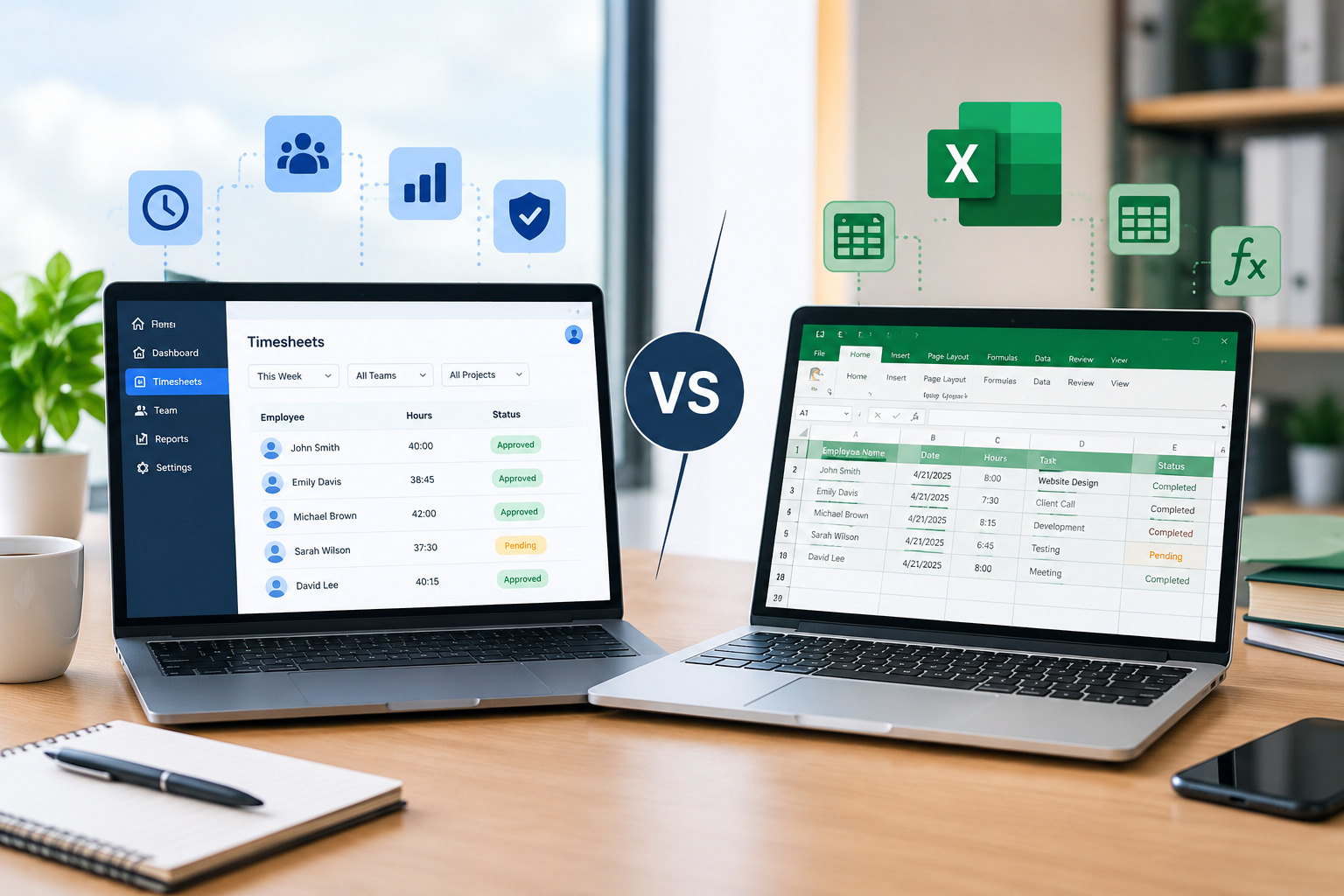
Businesses need an efficient way to track employee working hours, manage timesheets, calculate overtime, and prepare accurate payroll records. While some companies rely on Microsoft Excel to record employee hours, others use dedicated timesheet software to automate time tracking and simplify workforce management.
Both options can help businesses organize employee time records, but they differ in automation, accuracy, scalability, reporting, and overall management effort. Excel is often a convenient starting point for small teams, whereas timesheet software can offer a more structured solution for businesses managing multiple employees, departments, or locations.
Understanding the differences between timesheet software and Excel can help business owners choose a solution that fits their operational needs, budget, and future growth.
In this guide, we will compare timesheet software vs. Excel, examine their advantages and disadvantages, explain when to use each option, and explore how businesses can improve employee time tracking.
What Is Timesheet Software?
Timesheet software is a digital application that helps businesses record, manage, review, and approve employee working hours. Depending on the platform, employees can enter their hours manually, use a timer, or record their attendance through digital clock-in and clock-out features.
Managers can review employee timesheets, monitor overtime, identify missing entries, and approve working hours before payroll processing. Many platforms also provide reporting features that help businesses understand labor costs, project hours, and employee time allocation.
Common features of timesheet software include:
- Automated time calculations: Calculate total working hours using recorded start times, end times, and breaks.
- Employee time tracking: Record work hours through manual entries, timers, or supported time-clock features.
- Overtime management: Identify overtime hours according to configured rules and policies.
- Timesheet approvals: Allow managers to review, approve, or return timesheets for corrections.
- Reporting and analytics: Generate reports about working hours, overtime, projects, and labor costs.
- Payroll integration: Transfer approved time records to compatible payroll systems.
- Mobile accessibility: Allow employees and managers to access timesheets remotely when supported.
- Centralized record management: Keep employee time records organized within a shared system.
These features can reduce repetitive administrative work and help businesses maintain more consistent time-tracking processes.
What Is Excel-Based Timesheet Management?
Excel-based timesheet management involves using Microsoft Excel or a compatible spreadsheet application to record and calculate employee working hours.
Businesses can create a spreadsheet with columns for employee names, dates, clock-in times, clock-out times, break durations, regular hours, and overtime. Formulas can calculate daily and weekly totals, while filters and pivot tables can help managers analyze the information.
Excel is widely used because it offers flexibility and may not require an additional software subscription if the business already has access to it.
Typical features of an Excel timesheet include:
- Employee names and identification details
- Daily attendance and working-hour records
- Start times, end times, and break durations
- Regular-hour and overtime calculations
- Weekly or monthly timesheet summaries
- Project-based time entries
- Custom formulas, charts, and reports
- Manual review and approval tracking
However, Excel depends heavily on accurate data entry, properly configured formulas, and consistent file management. As employee numbers increase, maintaining spreadsheets and checking records can become more complicated.
Timesheet Software vs. Excel: Key Differences
Timesheet software and Excel can both support employee time tracking, but they differ in how much automation and administrative control they provide.
| Feature | Timesheet Software | Excel |
|---|---|---|
| Time entry | Manual or automated, depending on the platform | Usually manual |
| Working-hour calculations | Often automated | Requires formulas |
| Overtime tracking | Built-in rules may be available | Requires formulas and verification |
| Timesheet approvals | Workflow features may be available | Usually managed manually |
| Error detection | Validation and alerts may be available | Depends on spreadsheet design |
| Payroll processing | Integrations or exports may be available | Often requires manual data transfer |
| Employee access | Web or mobile access may be available | Depends on file-sharing arrangements |
| Reporting | Built-in reports and dashboards may be available | Custom reports and pivot tables |
| Data management | Centralized records in supported systems | Files may be stored in different locations |
| Scalability | Often easier to manage as teams grow | Complexity can increase with workforce size |
| Initial cost | May require a subscription or license | May involve little additional cost if already available |
| Maintenance | Requires configuration and system administration | Requires formula and template maintenance |
The actual capabilities of timesheet software vary by provider and plan. Excel can also support sophisticated automation, but this usually requires additional setup and ongoing maintenance.
1. Ease of Use and Employee Time Entry
An effective time-tracking system should make it easy for employees to record their hours and for managers to review the information.
Timesheet Software
Timesheet software provides a structured way to enter and manage employee working hours. Depending on the platform, employees can submit their hours through a web application, mobile app, timer, or digital time clock.
Managers can access submitted timesheets in one place instead of collecting separate files from different employees. Some systems also send reminders about incomplete entries or approaching submission deadlines.
This can be especially useful for companies with multiple departments, remote employees, or different work schedules.
Excel
Excel is familiar to many employees and managers. A business can create a basic timesheet template and share it with employees to record their working hours.
However, employees may need to update the spreadsheet manually and send it to their supervisors. Managers must then collect the files, check the entries, and combine the information when necessary.
Shared spreadsheets can improve collaboration, but businesses still need clear rules for editing, submitting, and approving records.
Which is better?
Excel can be easier to start with when time-tracking requirements are simple. Timesheet software is generally more convenient when multiple employees submit timesheets regularly or managers need a consistent process across departments.
2. Accuracy of Employee Working Hours
Accurate working-hour records are essential for payroll preparation, overtime calculations, labor-cost management, and workforce reporting.
Timesheet Software
Many timesheet applications automatically calculate working hours based on recorded start times, end times, and break durations. Some platforms also support configurable overtime rules, rounding policies, and alerts for missing entries.
These features can reduce calculation errors and make it easier to identify unusual or incomplete records before approving timesheets.
However, automation does not guarantee accuracy. Businesses must configure the system correctly, establish clear timekeeping policies, and review exceptions.
Excel
Excel can calculate working hours using formulas. For example, a spreadsheet can subtract an employee’s starting time from their ending time and deduct unpaid breaks.
The main challenge is maintaining accurate formulas and data. Incorrect cell references, overwritten formulas, inconsistent time formats, and overnight shifts can lead to inaccurate totals.
Managers must also verify that employee entries are complete and consistent.
Which is better?
Timesheet software generally offers a more consistent approach to recurring calculations when properly configured. Excel can be accurate for smaller teams, provided that formulas are tested and records are reviewed regularly.
3. Overtime Tracking and Payroll Management
Employee time records often determine regular working hours, overtime payments, and payroll totals. Inaccurate information can result in payroll corrections, delayed processing, and employee dissatisfaction.
Timesheet Software
Many timesheet platforms can separate regular hours from overtime according to configured rules. Managers can review exceptions, approve employee hours, and transfer approved records to compatible payroll systems.
Depending on the product, businesses may also receive alerts for overtime thresholds or incomplete timesheets.
These capabilities can reduce repetitive calculations and data entry. However, businesses should verify that the software supports their applicable overtime policies, pay periods, and payroll requirements.
Excel
Excel can calculate regular and overtime hours using formulas. For example, a company can configure a spreadsheet to calculate standard hours and identify additional hours separately.
However, managers must maintain the formulas, verify the results, and transfer the approved information to payroll. These tasks become more time-consuming when a business has many employees or different overtime rules.
Which is better?
Timesheet software is generally more suitable for businesses with frequent payroll processing, complex overtime requirements, or a large volume of employee time records. Excel can work well when calculations are straightforward and the team is small.
4. Timesheet Approvals and Managerial Control
Timesheet approval is an important part of employee time management. Managers need to confirm that records are complete, resolve discrepancies, and approve working hours before payroll processing.
Timesheet Software
Many platforms include approval workflows that allow employees to submit timesheets directly to their managers. Managers can review the entries, request corrections, and approve the records through the system.
Some applications also provide notifications for pending approvals and overdue submissions.
A structured approval process helps businesses understand which timesheets are awaiting review and which have been finalized.
Excel
Excel does not include a dedicated timesheet approval workflow by default. Managers may need to review spreadsheets manually, communicate corrections through email, and maintain a separate record of approval status.
Cloud-based spreadsheets can support collaboration, but approval procedures still need to be organized and monitored.
Which is better?
Timesheet software is generally the better option for businesses that require formal approval processes, multiple levels of review, or clear visibility into outstanding timesheets.
5. Reporting and Workforce Insights
Timesheet data can help businesses understand employee workloads, project expenses, overtime patterns, and labor costs.
Timesheet Software
Many timesheet applications offer built-in reports and dashboards that summarize working hours, overtime, project time, and other workforce metrics.
Managers may be able to filter reports by employee, department, location, project, or date range. These insights can help businesses identify staffing issues and make better workforce-planning decisions.
For example, recurring overtime reports may reveal that a department needs additional staffing or a revised work schedule.
Excel
Excel provides tools such as pivot tables, filters, charts, and formulas that can be used to create customized reports.
Businesses with spreadsheet expertise can analyze employee hours in considerable detail. However, reports may require manual preparation and regular updates, especially when information comes from multiple files.
Which is better?
Excel offers flexibility for custom data analysis, while timesheet software often makes recurring reports easier to generate and maintain.
6. Data Security and Record Management
Employee timesheets can contain sensitive business information, including working patterns, project details, and payroll-related records. Businesses should ensure that only authorized people can access or modify these records.
Timesheet Software
Depending on the provider, timesheet software may include user permissions, secure authentication, activity logs, backups, and centralized data storage.
These features can help businesses manage access and maintain a clearer record of changes. Before choosing a platform, companies should review its security practices, data retention policies, backup arrangements, and access controls.
Excel
Excel files can be stored on individual computers or in cloud-based storage services. File permissions, password protection, and controlled sharing can help protect information.
However, businesses may face difficulties when multiple spreadsheet versions are circulated through email or saved in different locations. Without a consistent process, managers may struggle to determine which file contains the latest approved information.
Which is better?
Timesheet software may provide more centralized access management and auditability. Excel can also be used securely, but it requires disciplined file-sharing practices, permission management, and backup procedures.
7. Cost Comparison: Timesheet Software vs. Excel
The cost of a time-tracking solution includes more than the initial software price. Businesses should also consider the time required to maintain records, correct errors, prepare reports, and process payroll.
Costs of Excel
Excel may be a cost-effective option if a business already has access to the application and only needs basic time tracking.
Potential costs include:
- Creating and maintaining timesheet templates
- Training employees to enter time correctly
- Reviewing entries and correcting errors
- Combining spreadsheets from different employees
- Preparing payroll summaries
- Managing access permissions and backups
Although these activities may not require a new software subscription, they still consume employee and managerial time.
Costs of Timesheet Software
Timesheet software may involve a monthly or annual subscription, depending on the provider, employee count, and selected features.
Potential costs include:
- Software subscriptions or licenses
- Initial setup and configuration
- Employee training
- Payroll or accounting integrations
- Additional charges for advanced features
However, automation may reduce administrative workload and help prevent avoidable data-entry errors.
Which Option Is More Cost-Effective?
Excel may be more economical for a small business with straightforward time-tracking needs. Dedicated software may provide better overall value when manual administration, timesheet corrections, and payroll preparation consume significant time.
Businesses should compare the total cost of ownership rather than looking only at subscription fees.
8. Scalability for Growing Businesses
A time-tracking method that works well for five employees may become difficult to maintain when a company expands to several departments or locations.
Timesheet Software
Timesheet software is often designed to support growing workforces through centralized records, employee access controls, configurable workflows, and reporting features.
Depending on the platform, managers can oversee different departments, locations, or teams without maintaining separate spreadsheets for each group.
This can make it easier to expand time-tracking operations as business requirements change.
Excel
Excel can manage substantial amounts of data, and advanced users can create complex tracking systems. However, a growing workforce may require more templates, formulas, reports, and file-management procedures.
Maintaining consistent formats across departments and preventing duplicate records can become more challenging.
Which is better?
Timesheet software is generally easier to scale when employee numbers, reporting requirements, and operational complexity increase. Excel remains useful for small teams with stable and simple processes.
9. Managing Remote Employees and Multiple Locations
Businesses with remote employees, field workers, or multiple office locations need a reliable way to collect working-hour information from different places.
Timesheet Software
Many platforms support remote time entry through web browsers or mobile applications. Some also offer location-based features, subject to the product’s capabilities and the company’s policies.
Managers can review submissions centrally without waiting for employees to send individual spreadsheets.
Excel
Excel can also support remote employees through shared cloud files. However, businesses must manage permissions, prevent conflicting edits, and ensure that employees submit records on time.
If employees use separate files, managers may need to combine the information manually.
Which is better?
Timesheet software is generally more convenient for distributed teams that need centralized records and structured submission processes. Excel can work for remote teams when time tracking is simple and file sharing is well organized.
Advantages and Disadvantages of Timesheet Software
Advantages
- Automates many working-hour calculations.
- Provides structured timesheet submission and approval processes.
- May integrate with payroll and accounting systems.
- Offers recurring reports and workforce insights.
- Helps centralize employee time records.
- Can support growing teams and multiple locations.
- May provide reminders for missing entries and pending approvals.
Disadvantages
- May require monthly or annual subscription fees.
- Requires setup and employee training.
- Some features may be available only on higher-priced plans.
- Integration and configuration may require additional effort.
- Businesses must evaluate provider security, reliability, and support.
Timesheet software is most valuable when its automation and management features solve problems that would otherwise require considerable manual effort.
Advantages and Disadvantages of Excel Timesheets
Advantages
- Familiar to many employees and managers.
- Flexible and customizable.
- Suitable for basic time tracking.
- Supports formulas, charts, filters, and pivot tables.
- Can be economical when Excel is already available.
- Allows businesses to create templates suited to their own processes.
Disadvantages
- Manual data entry can increase the risk of errors.
- Formulas may break or be overwritten.
- Approval processes usually require additional coordination.
- Reporting may require manual preparation.
- Managing multiple versions can create inconsistencies.
- Payroll data may need to be transferred manually.
- Maintenance becomes more demanding as requirements grow.
Excel can be a practical solution for simple needs, but businesses should recognize the administrative work involved in keeping records accurate and consistent.
When Should a Business Choose Excel?
Excel is a reasonable choice when time tracking is simple, the workforce is small, and the business does not need extensive automation.
Consider using Excel if:
- Your business has only a few employees.
- Employees follow consistent work schedules.
- Timesheets are reviewed by one manager.
- Overtime calculations are straightforward.
- Payroll processing does not require complex integrations.
- You already have a reliable spreadsheet template.
- Maintaining the spreadsheet takes very little time.
For example, a small consultancy with four employees working standard office hours may be able to manage weekly working-hour records with a shared spreadsheet.
A well-designed template with protected formulas, consistent time formats, and regular backups can provide an effective starting point.
When Should a Business Choose Timesheet Software?
Dedicated timesheet software becomes more useful when businesses face growing administrative demands or need more structured timekeeping processes.
Consider timesheet software if:
- Your business manages a growing workforce.
- Employees work different shifts or overtime hours.
- Managers need to approve timesheets frequently.
- Employees work remotely or across multiple locations.
- Payroll preparation involves repeated manual data entry.
- You need regular reports on employee hours and labor costs.
- Missing or inaccurate timesheets are a recurring problem.
- Multiple managers need controlled access to employee records.
For example, a company with 60 employees working different shifts across three locations may find it difficult to collect spreadsheets, verify calculations, and track approvals efficiently.
A centralized timesheet system can help managers review employee hours, identify exceptions, and prepare approved records for payroll.
Can Businesses Use Both Excel and Timesheet Software?
Yes. Businesses do not necessarily need to choose one tool for every time-tracking task.
Timesheet software can serve as the primary system for recording, reviewing, and approving employee working hours. Excel can then support additional analysis, customized reporting, or financial planning.
A combined process might look like this:
- Employees record their hours in timesheet software.
- Managers review and approve the timesheets.
- Approved time data is exported to Excel.
- Managers analyze overtime expenses and labor hours by department.
- The business prepares customized reports using pivot tables and charts.
This approach combines structured time tracking with Excel’s flexible data-analysis capabilities.
However, businesses should establish one authoritative source for approved employee hours. Maintaining several competing versions of the same records can lead to inconsistencies.
How to Choose the Right Timesheet Solution for Your Business
Before choosing between timesheet software and Excel, evaluate your existing workflow and identify the problems you want to solve.
Step 1: Evaluate Your Workforce Size
Consider how many employees submit timesheets and whether your workforce is expected to grow. A simple spreadsheet may work for a small team, while a larger workforce may benefit from centralized time tracking.
Step 2: Review Your Current Process
Identify how employees record their hours, how managers approve timesheets, and how the information reaches payroll.
Step 3: Identify Recurring Problems
Look for missing entries, calculation errors, delayed approvals, duplicate files, and excessive administrative work.
Step 4: Identify Essential Features
Determine whether your business needs mobile access, overtime tracking, project-based time entries, approval workflows, workforce reporting, or payroll integration.
Step 5: Compare Total Costs
Include software fees, setup expenses, training, spreadsheet maintenance, and the time spent processing timesheets.
Step 6: Test the Solution
If possible, test the software or spreadsheet workflow with a small group of employees before adopting it across the organization.
Step 7: Establish Clear Timekeeping Policies
Define submission deadlines, approval responsibilities, correction procedures, and record-retention practices. Ensure that your time-tracking process follows applicable employment and privacy requirements.
Following these steps can help your business choose a solution that improves timekeeping without introducing unnecessary complexity.
How Office1Solution Supports Workforce Management
Employee time tracking is closely connected to scheduling, attendance, and daily workforce coordination. When businesses manage these activities separately, managers may need to switch between different records to understand staffing needs and employee availability.
Office1Solution provides workforce management software designed to support employee scheduling, timesheets, HR operations, contractor management, compliance monitoring, and workforce reporting.
Businesses evaluating their time-tracking processes can explore Office1Solution to learn more about workforce management tools and how digital systems may support their operational requirements.
You can also explore employee scheduling solutions for small businesses to understand how organized scheduling can complement employee time tracking.
Combining effective scheduling with organized timesheet management can help businesses improve workforce visibility, coordinate employee hours, and reduce repetitive administrative tasks.
Frequently Asked Questions
1. Is timesheet software better than Excel?
Timesheet software is generally better for businesses that need automated calculations, structured approvals, centralized records, and recurring reports. Excel may be sufficient for small teams with simple time-tracking requirements.
2. Can Excel calculate employee working hours automatically?
Yes. Excel can calculate working hours using formulas that subtract start times from end times and deduct breaks. However, formulas must be configured correctly, particularly for overnight shifts, overtime, and missing entries.
3. Is Excel suitable for small businesses?
Yes. Excel can be a practical option for small businesses with a limited number of employees, straightforward schedules, and simple reporting requirements.
4. Does timesheet software help with payroll?
Many timesheet platforms help prepare payroll by calculating employee hours, identifying overtime, and providing approved time records. Some integrate directly with payroll systems, while others support data exports.
5. Can timesheet software reduce payroll errors?
It can reduce errors caused by manual calculations and repeated data entry. However, accurate results still depend on correct system configuration, reliable employee records, and appropriate review procedures.
6. When should a business switch from Excel to timesheet software?
A business should consider switching when spreadsheet maintenance becomes time-consuming, approval delays increase, employee numbers grow, or payroll calculations become more complicated.
7. Can Excel and timesheet software work together?
Yes. Businesses can use timesheet software to collect and approve working hours, then export the data to Excel for further analysis, customized reports, and financial planning.
8. What features should businesses look for in timesheet software?
Important features may include automated hour calculations, overtime tracking, approval workflows, reporting, mobile access, user permissions, and payroll integration. The best combination depends on the business’s workforce and operational needs.
9. Is timesheet software suitable for remote employees?
Many platforms support remote timesheet entry through web or mobile applications. Businesses should choose a system that matches their remote-work policies and provides the required access and reporting features.
10. Does every business need dedicated timesheet software?
No. Businesses with a small workforce and simple timekeeping requirements may find Excel sufficient. Dedicated software becomes more useful when automation, approvals, reporting, and centralized management are increasingly important.
Conclusion
Choosing between timesheet software and Excel depends on your business size, workforce complexity, budget, and time-tracking requirements.
Excel remains a practical option for small businesses that need a simple and customizable way to record employee hours. However, dedicated timesheet software generally offers more structured automation, approval workflows, centralized records, and reporting capabilities.
For businesses experiencing frequent timesheet errors, delayed approvals, or increasing administrative workloads, investing in a suitable digital solution may improve the efficiency of employee time management.
The best solution is one that keeps employee records accurate, supports reliable payroll preparation, and grows with your business.
Recent Posts
- Time and Attendance Software: Complete Guide for Employers

- Time and Attendance: What’s the Difference Between the Two?

- How to Reduce Timesheet Errors and Improve Payroll Accuracy

- Timesheet App for Employees: Features, Benefits & Best Practices

- Timesheet Software vs. Excel: Which Is Better for Businesses?
Stay Ahead. Simplify Workforce Management.
Empower your teams to work efficiently with a unified workforce platform built for clarity, control, and actionable insights across your organization.