
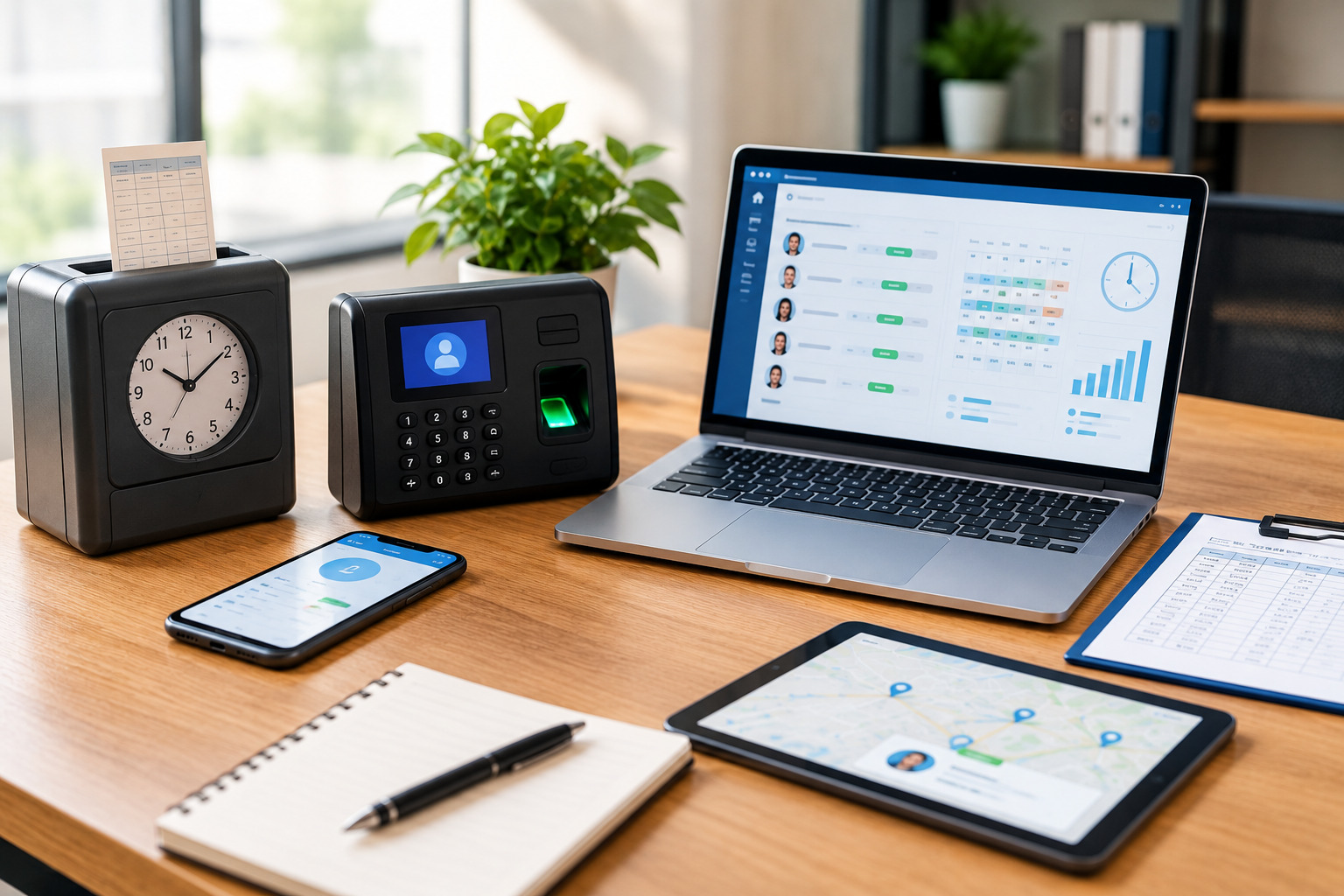
Tracking employee working hours is an important part of managing a productive and organized workplace. Businesses need to know when employees start and finish work, how much time they spend working, whether they are taking scheduled breaks, and how many hours are being allocated to different tasks or projects. Accurate time tracking also helps businesses manage payroll, overtime, attendance, scheduling, and workforce planning more effectively.
However, not every business needs to track employee time in the same way. A small business with a few office employees may have very different requirements from a company with remote workers, field employees, hourly workers, or teams working across multiple locations. Choosing the right employee time tracking method can therefore make a significant difference in operational efficiency and administrative workload.
Traditional timesheets, punch cards, spreadsheets, biometric systems, mobile apps, and cloud-based time tracking software all offer different approaches to recording working hours. The right solution depends on factors such as business size, workforce structure, work environment, payroll requirements, and the level of automation a company needs.
This guide explains the most common employee time tracking methods, their advantages and limitations, and how businesses can determine which approach fits their workforce.
What Is Employee Time Tracking?
Employee time tracking is the process of recording and monitoring the amount of time employees spend working. Depending on the system used, businesses may track clock-in and clock-out times, breaks, overtime, attendance, project hours, task-related time, and time spent at different work locations.
For hourly employees, time tracking is particularly important because recorded working hours may directly affect payroll. For salaried employees, tracking time can still provide useful information about attendance, workload, project allocation, productivity, and workforce capacity.
Modern time tracking is no longer limited to simply recording when someone enters or leaves the workplace. Businesses can use digital systems to connect employee hours with schedules, payroll processes, workforce reports, and other HR operations.
For businesses looking to improve their overall workforce management process, employee time tracking can work alongside tools for employee scheduling and other workforce management activities.
Why Is Accurate Employee Time Tracking Important?
Accurate time tracking provides businesses with reliable information about how working hours are being used. Without a consistent system, companies may have difficulty determining the actual hours worked by employees, identifying overtime, or resolving discrepancies between schedules and recorded attendance.
One of the biggest benefits is improved payroll accuracy. When employee hours are recorded correctly, payroll teams have better information for calculating regular working hours, overtime, and other time-based payments. This can reduce manual calculations and minimize mistakes.
Time tracking can also improve workforce planning. Managers can compare scheduled hours with actual hours worked and identify patterns such as frequent overtime, understaffing, or inefficient scheduling. These insights can help businesses make more informed staffing decisions.
Another important benefit is transparency. Employees can see their recorded working hours and understand how their attendance information is being used. A clear and consistent process can reduce disagreements over working time and make workplace policies easier to manage.
Common Employee Time Tracking Methods
Businesses have several options when it comes to tracking employee hours. Some methods are simple and inexpensive, while others provide automation, reporting, and integration with broader workforce management systems.
The best choice depends on how employees work and what information the business needs to collect.
1. Manual Timesheets
Manual timesheets are one of the oldest methods of tracking employee hours. Employees record their start time, end time, breaks, and total hours worked on paper or in a manually maintained document.
This approach can work for very small businesses with straightforward working schedules. It requires little technology and can be inexpensive to implement.
However, manual timesheets can become difficult to manage as the workforce grows. Employees may forget to record hours, enter incorrect information, or submit timesheets late. Managers then have to review and verify the information manually.
Manual records can also make it difficult to generate detailed reports or identify patterns in employee attendance and overtime. For businesses with larger or more complex teams, these limitations can create unnecessary administrative work.
2. Spreadsheet-Based Time Tracking
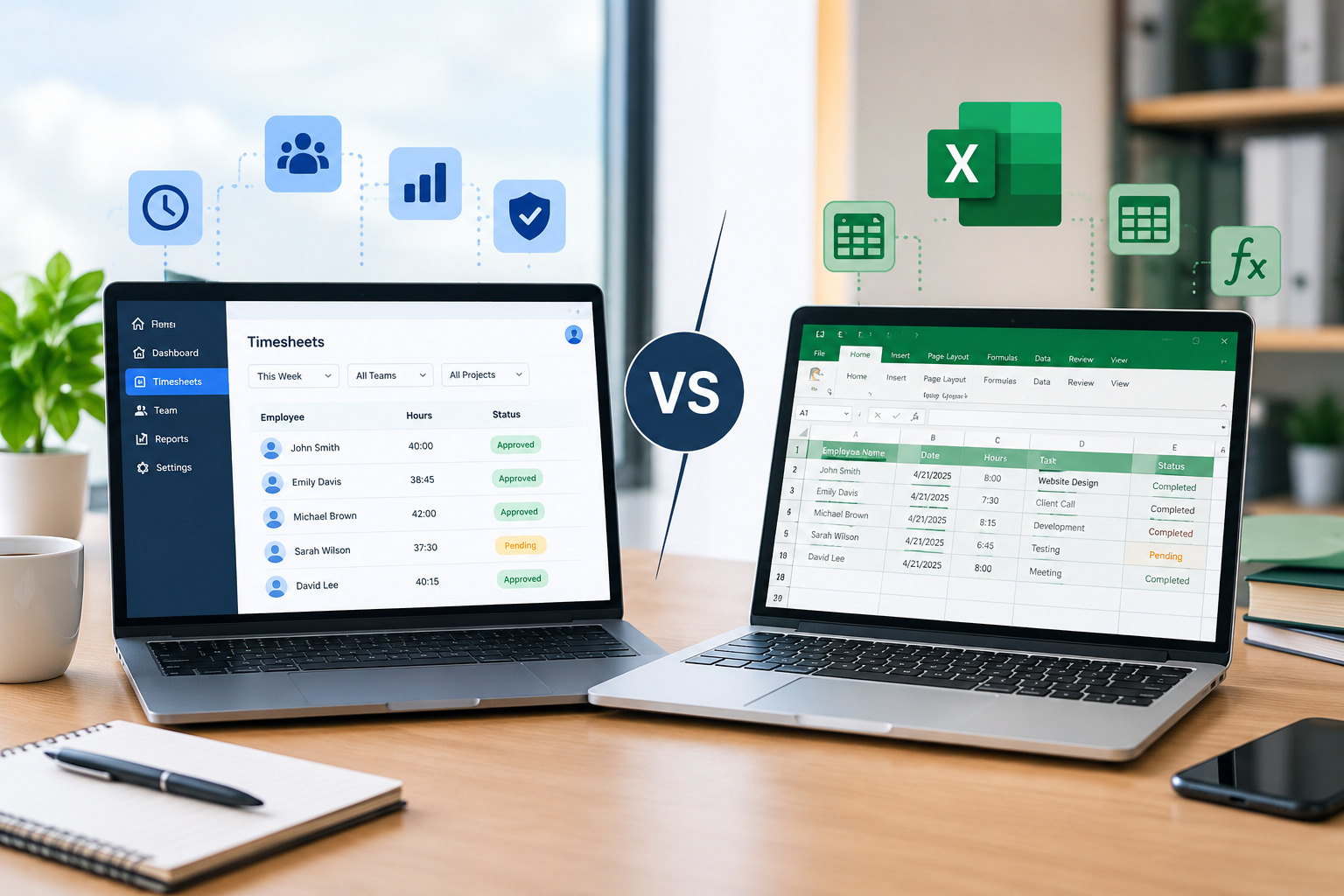
Spreadsheets provide a digital alternative to paper timesheets. Businesses can create Excel or similar spreadsheet templates where employees enter their working hours.
Spreadsheet tracking is relatively easy to start with and can be useful for small teams. Businesses can also create formulas to calculate total hours and overtime.
The main challenge is that spreadsheets still depend heavily on manual data entry. Employees have to remember to update their records, and managers may need to check the information for errors.
As more employees are added, maintaining multiple spreadsheets can become increasingly difficult. Version control, missing entries, incorrect formulas, and delayed updates can also affect data accuracy.
For businesses that only need basic time records, spreadsheets may be sufficient. However, companies looking for real-time visibility and automation may eventually need a dedicated time tracking solution.
3. Traditional Punch Cards
Punch card systems allow employees to physically record their arrival and departure times using a time clock. Employees insert or swipe a card when they start and finish work.
This method was widely used before digital workforce management systems became common and can still be found in some traditional workplaces.
Punch cards provide a physical record of attendance, but they offer limited flexibility. Managers may still need to manually calculate hours, review records, and transfer information into payroll or other systems.
They can also be less suitable for remote employees, mobile workers, and businesses operating across multiple locations.
4. Digital Time Clocks
Digital time clocks replace physical punch cards with electronic clock-in and clock-out systems. Employees may use an identification number, card, badge, or other authentication method to record their attendance.
Digital time clocks can reduce some of the calculation and recordkeeping work associated with traditional punch cards. They can also provide more organized attendance data.
However, businesses need to consider whether employees work primarily from one location. If employees regularly work remotely, travel between sites, or work in the field, a fixed digital time clock may not provide enough flexibility.
5. Biometric Time Tracking
Biometric systems use physical characteristics such as fingerprints or facial recognition to verify an employee’s identity when recording attendance.
One advantage of biometric systems is that they can make it more difficult for employees to record time on behalf of someone else. This can be useful in workplaces where accurate identity verification is an important requirement.
At the same time, businesses should carefully consider privacy, security, employee acceptance, and applicable laws before implementing biometric technology. The system must also be maintained properly to ensure reliable operation.
Biometric tracking is generally more appropriate for organizations with a fixed physical workplace and specific attendance-control requirements.
6. Mobile Time Tracking Apps
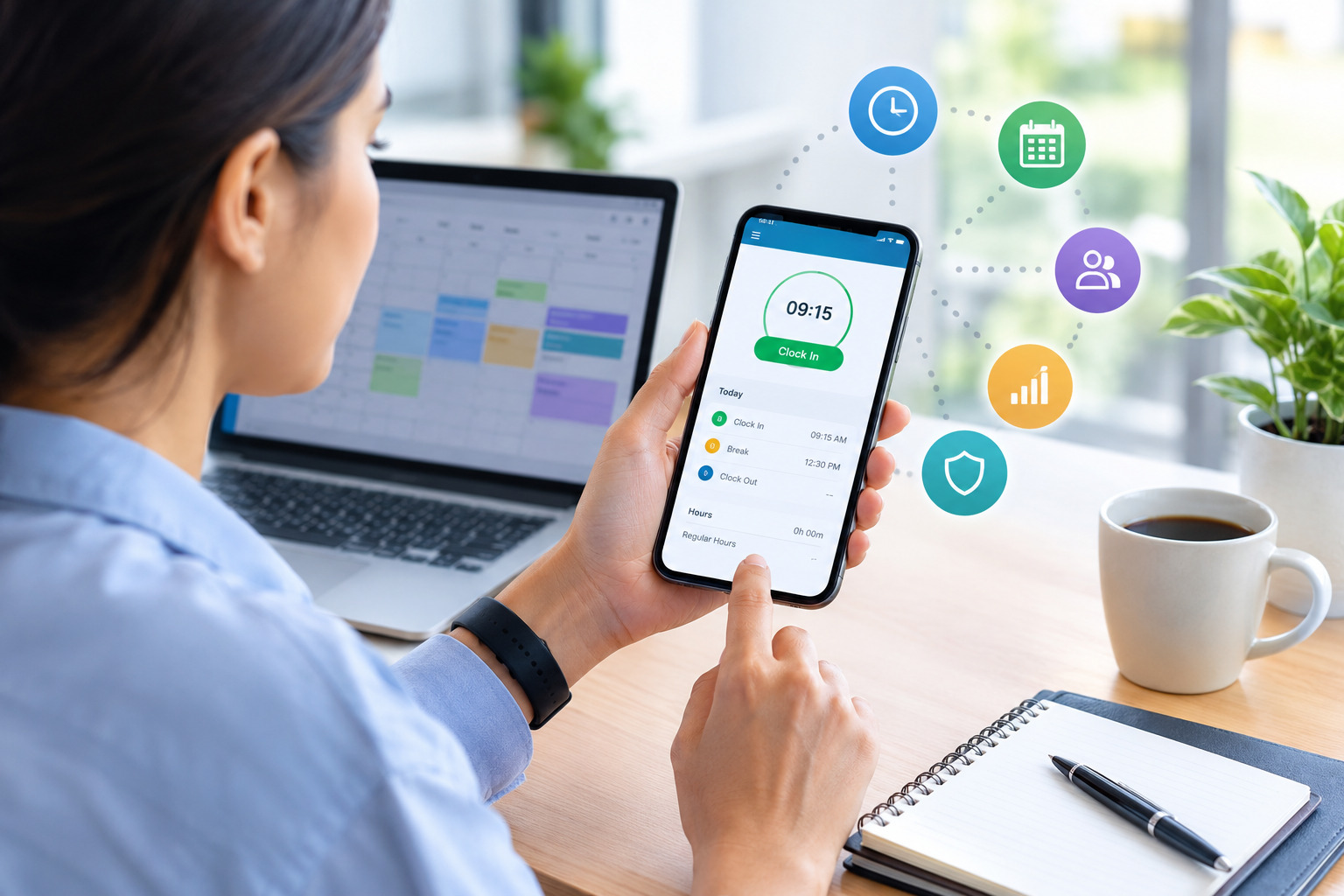
Mobile time tracking allows employees to record their working hours using smartphones or tablets. This method can be particularly useful for remote employees, field workers, contractors, and teams that do not work from a single office.
Employees can typically clock in and out from a mobile device, while managers can access time records through a centralized system.
Mobile tracking provides flexibility because employees do not necessarily need to be physically present at a traditional time clock. Depending on the software, businesses may also be able to use features such as location-based tracking, digital timesheets, notifications, and attendance reporting.
For companies with distributed teams, mobile time tracking can provide a more practical alternative to fixed attendance systems.
7. Web-Based Time Tracking Software
Cloud-based or web-based time tracking software allows employees to record working hours through an online platform. Managers and HR teams can access the information from connected devices without relying on physical attendance records.
This approach is particularly useful for businesses with office-based, hybrid, or remote teams.
A modern system can centralize employee time records and reduce the amount of manual work required to collect and organize information. Depending on the platform, businesses may also be able to connect time tracking with employee scheduling, workforce reporting, payroll processes, and other HR operations.
For businesses considering a more automated approach, a cloud workforce management platform such as Office1Solution can help bring employee scheduling, timesheets, HR operations, contractor management, compliance monitoring, and workforce reporting into a more connected workflow.
8. Project-Based Time Tracking
Project-based time tracking focuses on understanding how employees spend their working hours across specific projects, clients, or tasks.
Instead of simply recording that an employee worked eight hours, the system can show how those hours were distributed. For example, an employee may spend three hours on Client A, two hours on internal administration, and three hours on Client B.
This method can be particularly useful for agencies, consulting companies, professional service businesses, software teams, and organizations that bill clients according to time.
Project-based tracking can help managers understand resource allocation and determine whether projects are receiving the expected amount of employee time.
9. Automated Time Tracking
Automated time tracking uses software to reduce manual employee input. Depending on the platform, the system may automatically collect information about work activity, schedules, attendance, or assigned tasks.
Automation can reduce repetitive administrative work and give managers access to more consistent data.
However, businesses should distinguish between tracking working hours and monitoring every employee activity. Excessive monitoring can create privacy concerns and may negatively affect employee trust. A good system should focus on collecting the information necessary for legitimate workforce management purposes.
Employee Time Tracking Methods: A Comparison
Different tracking methods serve different business needs. Manual timesheets and spreadsheets are simple but require more employee and manager involvement. Punch cards and fixed digital time clocks can work well for employees who work at one physical location. Biometric systems provide identity verification but require careful consideration of privacy and compliance.
Mobile apps are useful for distributed and field-based teams, while cloud-based systems provide greater flexibility and centralized reporting. Project-based tracking is particularly helpful when businesses need to understand how employee hours are allocated across projects or clients.
The important question is not simply which method has the most features. Businesses should choose the method that provides the right balance of accuracy, flexibility, usability, cost, and administrative efficiency.
How to Choose the Right Employee Time Tracking Method
Choosing a time tracking method should start with understanding how your employees actually work.
A company with ten employees working in one office may have very different requirements from a company with hundreds of employees working remotely and across multiple locations. Before selecting a system, businesses should examine their workforce structure, schedules, payroll process, and reporting requirements.
Consider Your Business Size
Small businesses with a limited number of employees may be able to manage time tracking using spreadsheets or simple digital tools. As the company grows, however, manual processes can become increasingly difficult to maintain.
Larger businesses generally benefit from centralized systems that can manage employee records, schedules, timesheets, overtime, and workforce reports more efficiently.
Consider Where Employees Work
The employee’s work environment is another important factor.
If employees work from a single office, a physical or digital time clock may be practical. For remote employees, mobile workers, and distributed teams, cloud-based or mobile time tracking can provide greater flexibility.
Businesses operating across multiple locations may also benefit from a centralized system that allows managers to view workforce information across different sites.
Consider Payroll Requirements
If employee hours are used to calculate payroll, accuracy should be a major consideration. Businesses should look for a system that makes it easy to review working hours, identify overtime, and maintain consistent records.
Reducing manual calculations can also help payroll teams save time and reduce the possibility of data-entry errors.
Consider Scheduling Needs
Time tracking becomes even more useful when it is connected with employee scheduling.
For example, managers can compare an employee’s scheduled shift with their actual clock-in and clock-out information. This can help identify late arrivals, early departures, overtime, missed shifts, or scheduling problems.
Businesses that want to connect scheduling with time tracking can explore employee scheduling solutions for small businesses as part of a broader workforce management strategy.
Consider Reporting Requirements
Some businesses only need basic attendance records, while others require detailed reports about overtime, labor hours, projects, departments, or locations.
Before selecting a system, consider which reports managers, HR teams, finance departments, and business leaders need regularly.
A system with centralized reporting can make it easier to turn employee time data into useful workforce information.
Manual vs. Automated Employee Time Tracking
The main difference between manual and automated time tracking is the amount of human involvement required to collect and process information.
With manual tracking, employees enter their hours themselves, and managers often review the records before using them for payroll or reporting. This can be appropriate for simple environments but becomes increasingly time-consuming as the business grows.
Automated systems reduce repetitive tasks by collecting, calculating, organizing, and reporting time data through software. This can make the process faster and provide managers with more immediate visibility.
Automation does not necessarily mean that every decision should be made automatically. Managers should still review unusual records, overtime, missed punches, and other exceptions.
Employee Time Tracking for Remote Teams
Remote work has changed how many businesses approach employee time tracking. Employees may work from different cities, states, or countries and may not have access to a traditional office time clock.
Cloud-based systems allow remote employees to record their working hours through computers or mobile devices. Managers can then access centralized information without requiring employees to submit physical timesheets.
For remote teams, businesses should prioritize ease of use and transparency. Employees should understand when time tracking is required, what information is collected, and how the information will be used.
Employee Time Tracking for Multiple Locations
Businesses with multiple offices, stores, branches, construction sites, or other work locations may face additional time tracking challenges.
Employees may have different schedules depending on their location, and managers may need to monitor staffing levels across several sites.
A centralized workforce management system can help businesses maintain a consistent approach while allowing managers to view location-specific information. This can make it easier to identify staffing gaps, overtime patterns, and differences in labor utilization.
How Time Tracking Supports Overtime Management
Overtime can increase labor costs when it is not properly planned or monitored. Time tracking gives managers better visibility into how many hours employees are actually working.
When time records are connected with employee schedules, managers can identify when employees are approaching overtime and adjust staffing plans when appropriate.
Businesses can also review historical time data to identify recurring overtime patterns. If certain shifts, departments, or locations consistently require additional hours, management can use that information when making future scheduling decisions.
For a deeper understanding of this topic, businesses can also explore strategies for managing employee overtime through better scheduling.
How Time Tracking Supports Employee Scheduling
Scheduling and time tracking are closely connected. A schedule represents the hours employees are expected to work, while time tracking records the hours they actually work.
Comparing the two can provide useful information about attendance and workforce planning. For example, a business may discover that employees regularly stay beyond their scheduled shifts or that certain shifts are consistently understaffed.
This information can help managers improve future schedules instead of relying only on assumptions.
Time tracking can also support more accurate labor forecasting by showing how many hours are actually required to operate different shifts, departments, or locations.
Common Challenges With Employee Time Tracking
Although time tracking provides many benefits, implementing the wrong system can create new problems.
One common challenge is employee resistance. If employees believe that a tracking system is complicated or overly intrusive, they may be less willing to use it correctly.
Another challenge is inaccurate data. Even digital systems can produce incorrect records if employees forget to clock in or out, use the wrong project, or fail to correct an error.
Businesses should therefore establish clear policies and provide employees with straightforward instructions. Managers should also have a process for reviewing and correcting time records when necessary.
Privacy is another important consideration. Businesses should collect only the information they legitimately need and should communicate their tracking practices clearly to employees.
How to Improve Employee Time Tracking Accuracy
The first step toward accurate time tracking is selecting a method that fits the way employees work. A complicated system can increase errors if employees struggle to use it.
Businesses should also establish clear rules for clocking in, clocking out, recording breaks, correcting missed punches, and reporting discrepancies.
Regularly reviewing time records can help identify recurring issues. If a department frequently has missing punches or unusual overtime, managers can investigate the underlying cause rather than simply correcting individual records.
Integrating time tracking with scheduling can further improve accuracy because managers can compare planned hours with actual hours worked.
The Role of Time Tracking Software in Modern Workforce Management
Employee time tracking is becoming increasingly connected to broader workforce management. Instead of maintaining separate systems for schedules, timesheets, attendance, and reporting, businesses can use centralized software to bring these processes together.
A connected approach can reduce duplicate data entry and make workforce information easier to access. Managers can use time records alongside scheduling and reporting information to make more informed operational decisions.
For growing businesses, this can be especially valuable because workforce management becomes more difficult when employee numbers, locations, schedules, and labor requirements increase.
What Should Businesses Look for in Time Tracking Software?
Businesses should look beyond basic clock-in and clock-out functionality when evaluating time tracking software.
Ease of use should be one of the first considerations. Employees should be able to record time without unnecessary steps, while managers should be able to review information without complicated processes.
The software should also provide appropriate reporting capabilities. Depending on business requirements, useful reports may include employee hours, overtime, attendance, scheduled versus actual hours, and workforce trends.
Integration is another important factor. A time tracking solution becomes more useful when it can work alongside scheduling, payroll, HR, and other workforce processes.
Security and access controls should also be considered, particularly when the system stores employee information.
Employee Time Tracking and Employee Trust
Technology is only one part of successful time tracking. Businesses also need to consider how the system is introduced and communicated.
Employees are more likely to understand a time tracking system when the company clearly explains why it is being used. The purpose may include accurate payroll, scheduling, overtime management, attendance records, or workforce planning.
Transparency is particularly important when businesses use mobile tracking, location-related features, or other advanced capabilities. Employees should understand what information is collected and how it supports legitimate business processes.
A time tracking system should help create accurate and consistent records rather than become a source of unnecessary workplace stress.
When Should a Business Move From Manual Tracking to Software?
There is no single employee-count threshold at which every business must adopt time tracking software. The decision should depend on the complexity of the workforce and the amount of administrative work involved.
A small business may manage successfully with spreadsheets when schedules are simple and the number of employees is limited. However, if managers spend significant time collecting timesheets, correcting errors, calculating overtime, or preparing reports, automation may become worthwhile.
Businesses should also consider moving to dedicated software when they have remote employees, multiple locations, complex schedules, frequent overtime, or a growing workforce.
The goal is not simply to replace a spreadsheet with software. The goal is to create a time tracking process that is accurate, efficient, scalable, and appropriate for the business.
Employee Time Tracking Methods: Which One Is Right for Your Business?
There is no universal time tracking method that works perfectly for every business.
Manual timesheets can be appropriate for very small teams with simple schedules. Spreadsheets provide a digital option but still require substantial manual input. Punch cards and fixed digital time clocks can work well in traditional workplace environments, while biometric systems may be suitable when identity verification is an important requirement.
Mobile apps are useful for field and remote employees, while cloud-based time tracking software provides greater flexibility for businesses with distributed or growing teams. Project-based tracking is valuable for organizations that need to understand how employee hours are allocated across clients, projects, or tasks.
The right choice should be based on the company’s workforce structure, scheduling requirements, payroll process, reporting needs, budget, and future growth.
For many growing organizations, the most practical approach is to choose a scalable system that can support time tracking alongside other workforce management functions. A platform such as Office1Solution can help businesses manage connected workforce processes, including employee scheduling, timesheets, HR operations, contractor management, compliance monitoring, and workforce reporting.
Frequently Asked Questions About Employee Time Tracking
What is the most common method of employee time tracking?
Businesses use several methods, including manual timesheets, spreadsheets, punch cards, digital time clocks, biometric systems, mobile applications, and cloud-based time tracking software. The most suitable method depends on the company’s workforce and operational requirements.
Is time tracking necessary for small businesses?
Time tracking can be useful for small businesses that need accurate records of employee hours, overtime, attendance, or payroll-related information. Even a simple system can provide better visibility into labor hours and scheduling.
Is spreadsheet time tracking effective?
Spreadsheet tracking can work for small teams with straightforward schedules. However, it requires manual data entry and can become difficult to maintain as the workforce grows or scheduling becomes more complex.
What is the best time tracking method for remote employees?
Cloud-based and mobile time tracking methods are generally designed to provide greater flexibility for remote employees because they do not require employees to use a physical office time clock.
Can time tracking help reduce overtime?
Time tracking can give managers better visibility into actual working hours. When combined with scheduling information, it can help managers identify employees who are approaching overtime and recognize recurring staffing patterns.
Should time tracking be connected with employee scheduling?
Connecting time tracking with scheduling can provide a clearer picture of scheduled versus actual working hours. This can help businesses identify attendance issues, overtime, understaffing, and scheduling inefficiencies.
How can businesses improve time tracking accuracy?
Businesses can improve accuracy by selecting an easy-to-use system, establishing clear timekeeping policies, training employees, reviewing exceptions, and regularly comparing recorded hours with schedules.
Final Thoughts
Employee time tracking is more than a way to record when employees start and finish work. When implemented effectively, it can support payroll accuracy, workforce planning, overtime management, scheduling, attendance management, and operational reporting.
The right method depends on how your employees work. A small office may need only a simple digital timesheet, while a growing organization with remote workers, multiple locations, or complex schedules may benefit from an automated cloud-based system.
Before choosing a solution, evaluate your workforce structure, business size, scheduling process, payroll requirements, reporting needs, and future growth. Selecting a method that fits these requirements can make time tracking more accurate while reducing unnecessary administrative work.
As businesses continue to adopt flexible and distributed work models, scalable employee time tracking will remain an important part of effective workforce management.
Recent Posts
- Time and Attendance Software: Complete Guide for Employers
- Time and Attendance: What’s the Difference Between the Two?
- How to Reduce Timesheet Errors and Improve Payroll Accuracy
- Timesheet App for Employees: Features, Benefits & Best Practices
- Timesheet Software vs. Excel: Which Is Better for Businesses?
Stay Ahead. Simplify Workforce Management.
Empower your teams to work efficiently with a unified workforce platform built for clarity, control, and actionable insights across your organization.