
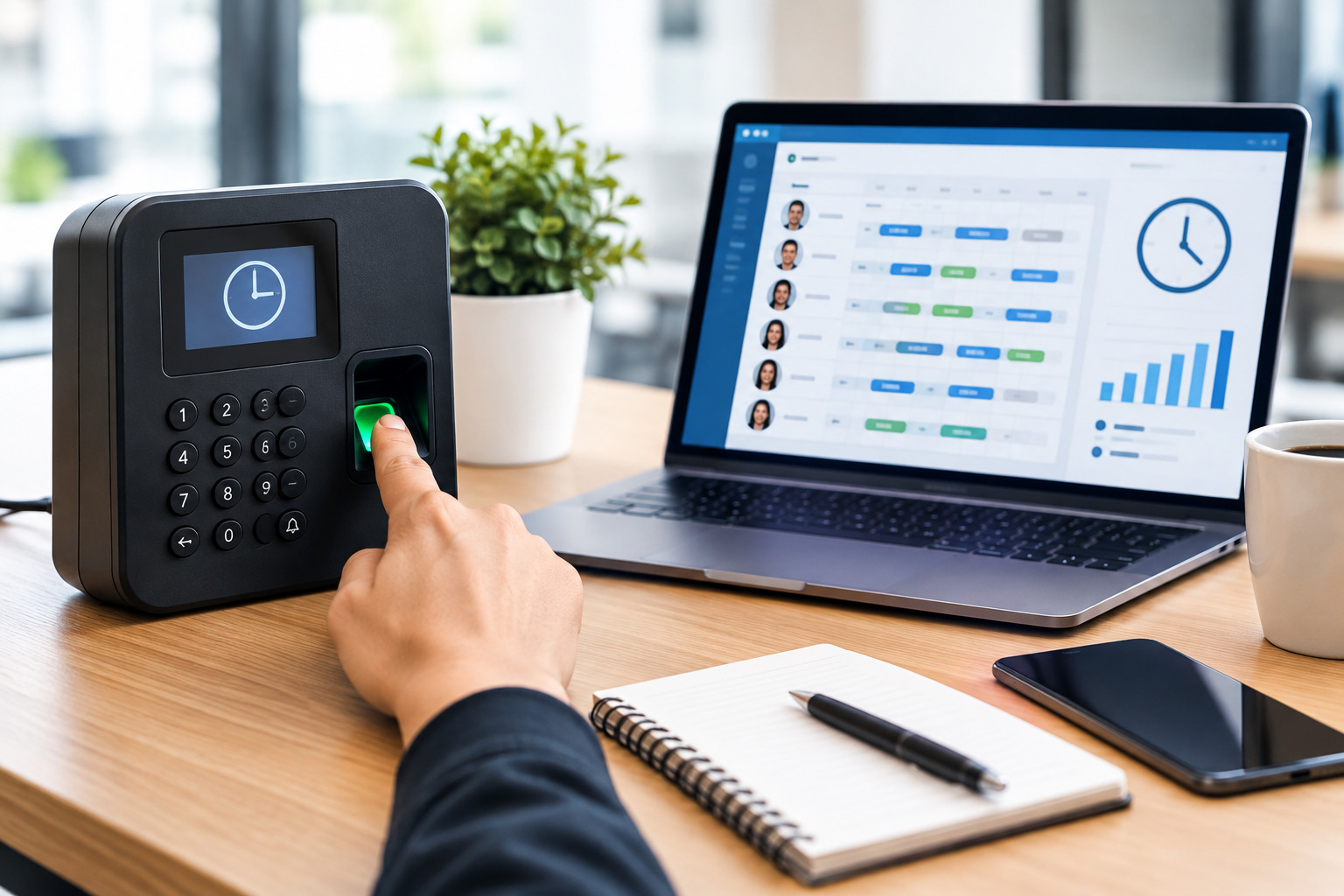
Accurately tracking employee hours is an important part of managing a workforce. Employers need reliable records of when employees start work, when they finish, how many hours they work, and whether those hours include overtime, breaks, or approved time away from work.
When employee hours are recorded incorrectly, the effects can go beyond payroll. Inaccurate records can make it difficult to understand labor costs, identify overtime patterns, compare scheduled hours with actual hours, manage attendance, and plan staffing effectively.
Many businesses still rely on spreadsheets, paper timesheets, manual calculations, or information collected through emails and messages. These methods may work for a very small team, but they can become difficult to manage as the workforce grows.
A more structured employee time tracking process can give managers better visibility into actual working hours while reducing repetitive administrative work.
This guide explains how to track employee hours accurately, which methods businesses can use, common time tracking mistakes, how to verify employee hours, and when time tracking software may be a better option than manual processes.
What Is Employee Hour Tracking?
Employee hour tracking is the process of recording and monitoring the amount of time employees spend working.
Depending on the business and workforce structure, employee hour records may include:
- Clock-in and clock-out times
- Total hours worked
- Breaks
- Overtime
- Regular working hours
- Time spent on specific projects or clients
- Attendance information
- Time spent at different locations
- Approved leave or time off
- Schedule changes
- Missed or corrected punches
The purpose is not simply to record a number of hours.
Accurate time tracking helps employers understand how planned working hours compare with actual working hours.
For example, an employee may be scheduled for an eight-hour shift but regularly work nine hours. If the business only looks at the schedule, this additional hour may go unnoticed.
Time records can reveal the difference between what was planned and what actually happened.
Why Is Accurate Employee Time Tracking Important?
Accurate employee hour tracking supports several important business processes.
1. Improve Payroll Accuracy
Payroll calculations depend on reliable information.
If employees are paid based on hours worked, incorrect time records can result in underpayment or overpayment. Manual calculations can also introduce errors when managers have to total hours across multiple employees and pay periods.
A consistent time tracking process creates a clearer record for payroll preparation.
Businesses should also establish a process for reviewing unusual entries before payroll is finalized.
2. Monitor Overtime
Overtime can significantly affect labor costs.
Without accurate time records, managers may not know how frequently employees are working beyond their expected hours.
For example, consider an employee scheduled for 40 hours per week who regularly records additional hours because of late shifts, early starts, or workload requirements.
Tracking actual hours makes these patterns easier to identify.
Employers can then investigate whether overtime is caused by:
- Staffing shortages
- Unexpected demand
- Extended shifts
- Poor workload distribution
- Employee availability
- Scheduling problems
- Late clock-outs
- Additional assignments
Tracking overtime is therefore not only a payroll issue. It can also provide information that helps managers improve workforce planning.
3. Compare Scheduled Hours With Actual Hours
A schedule represents what an employer expects to happen.
Time tracking shows what actually happened.
These two types of information become more useful when they are compared.
Suppose an employee is scheduled from 9:00 a.m. to 5:00 p.m. but frequently clocks out at 5:30 p.m.
One isolated difference may not be significant.
However, if the same pattern occurs every day, it could indicate that the workload requires more time than the schedule provides.
Managers can use this information to review staffing requirements, shift lengths, workloads, and scheduling practices.
This is especially useful for hourly and shift-based workforces.
How to Track Employee Hours Accurately
There is no single time tracking method that works for every organization. The right approach depends on workforce size, work environment, employee roles, scheduling structure, and operational requirements.
However, businesses can follow several practical steps to improve accuracy.
1. Establish a Clear Time Tracking Policy
Before selecting a tracking tool, define how employees are expected to record their working time.
A time tracking policy should explain:
- When employees should clock in
- When employees should clock out
- How breaks should be recorded
- How overtime should be handled
- What to do if a punch is missed
- How time corrections should be requested
- Who approves timesheets
- When timesheets must be submitted
- How managers review time records
Employees should receive clear instructions so everyone follows the same process.
A consistent policy can reduce confusion and make time records easier to review.
2. Choose the Right Time Tracking Method
Businesses can track employee hours using several methods.
Paper Timesheets
Paper timesheets are one of the simplest methods.
Employees write down their working hours manually, usually at the end of a shift or workday.
Although inexpensive, paper records can create problems such as:
- Lost documents
- Incorrect calculations
- Illegible entries
- Forgotten hours
- Delayed submissions
- Difficulty reviewing historical records
Paper timesheets may be suitable for very small or simple operations, but they become harder to manage as the workforce grows.
Spreadsheet-Based Time Tracking
Spreadsheets provide more structure than paper records.
A business can create columns for:
- Employee name
- Date
- Start time
- End time
- Breaks
- Regular hours
- Overtime
- Total hours
However, spreadsheets still require employees or managers to enter information manually.
Formula errors, duplicate entries, outdated versions, and accidental changes can affect accuracy.
If several managers maintain separate spreadsheets, it can also become difficult to determine which version contains the most current information.
Manual Timesheet Software
Digital timesheet systems allow employees to enter their working hours through a web-based system.
For example, an employee may enter hours for each day and submit the timesheet for manager approval.
This approach can work well for employees who track time by project, client, task, or work category.
However, it still depends on employees entering their hours accurately.
Clock-In and Clock-Out Systems
For shift-based employees, clock-in and clock-out tracking can provide a more direct way to capture working time.
Employees record when they start and finish work.
Depending on the system, clocking may be available through:
- Mobile devices
- Web browsers
- Desktop systems
- Physical time clocks
- Location-enabled devices
Clock-based tracking can reduce the need for employees to calculate their own daily hours.
Automated Employee Time Tracking Software
Time tracking software can automate many parts of the process.
Depending on the system, employees may clock in and out electronically while the software calculates working hours and identifies exceptions.
Managers can then review records rather than manually calculate every employee’s hours.
Some systems can also connect time tracking with scheduling and timesheets, making it easier to compare planned hours with actual hours.
3. Record Start and End Times Consistently
One of the most basic requirements for accurate employee hour tracking is consistent recording of start and end times.
Employees should record their actual working time according to company policy.
For example:
Scheduled: 9:00 a.m. – 5:00 p.m.
Actual: 8:55 a.m. – 5:12 p.m.
The time tracking system should preserve the actual record rather than relying only on the scheduled shift.
This distinction allows managers to understand whether employees regularly arrive early, leave late, or work different hours than planned.
4. Track Breaks Properly
Breaks can affect total working hours, depending on company policy and applicable employment requirements.
Businesses should clearly explain which breaks need to be recorded and how employees should record them.
For example, a company might require employees to:
- Clock in at the beginning of work.
- Clock out when starting an unpaid break.
- Clock back in after the break.
- Clock out at the end of the workday.
The exact process should match the organization’s policies and applicable laws.
Clear procedures reduce confusion and make time records easier to review.
5. Prevent Buddy Punching and Unverified Entries
Buddy punching occurs when one employee records attendance for another employee.
This can make time records inaccurate because the recorded clock-in or clock-out does not necessarily represent the employee’s actual attendance.
Businesses can reduce this risk through appropriate verification methods.
Depending on the work environment, these may include:
- Individual employee logins
- Mobile authentication
- Location verification
- Secure clock-in systems
- Manager review
- Exception reporting
- Audit trails
The appropriate method depends on the organization’s operational requirements and privacy considerations.
6. Make Time Corrections Easy to Document
Mistakes can happen even when a business uses a digital system.
An employee may forget to clock in, accidentally clock out early, or experience a technical problem.
Instead of allowing employees to silently change records, businesses should establish a documented correction process.
A correction process may include:
- Employee submits a correction request.
- Employee explains the reason.
- Manager reviews the request.
- Manager approves or rejects the correction.
- The system maintains a record of the change.
This creates greater accountability and makes historical records easier to understand.
7. Review Exceptions Instead of Checking Every Record Manually
Managers do not always need to inspect every normal time entry individually.
A better process is to identify exceptions that require attention.
Examples include:
- Missing clock-ins
- Missing clock-outs
- Unusually long shifts
- Late arrivals
- Early departures
- Unexpected overtime
- Duplicate punches
- Schedule discrepancies
- Unapproved time
- Unusual working patterns
Exception-based review allows managers to focus their attention where problems are more likely to exist.
8. Connect Time Tracking With Employee Scheduling
Time tracking becomes more useful when it is connected with scheduling.
Scheduling answers:
“When is the employee expected to work?”
Time tracking answers:
“When did the employee actually work?”
For example:
Scheduled: 10:00 a.m. – 6:00 p.m.
Actual: 9:52 a.m. – 6:27 p.m.
If similar differences appear repeatedly, managers can investigate the reason.
Maybe employees need additional preparation time. Perhaps closing tasks regularly extend beyond the scheduled shift. Or the business may need to adjust staffing levels.
Comparing scheduled and actual hours helps managers identify these patterns.
9. Track Overtime Separately
Businesses should make overtime visible rather than hiding it within total hours.
Managers should be able to identify:
- Total regular hours
- Overtime hours
- Employees with recurring overtime
- Departments generating overtime
- Shifts associated with overtime
- Reasons for additional hours
This information can help employers investigate labor costs and improve future scheduling decisions.
For example, if the same department generates overtime every week, management may need to examine workload, staffing levels, demand, or shift planning.
10. Use a Consistent Approval Process
Employee time records should generally go through an appropriate review process before being finalized.
A typical workflow can be:
Employee records hours → Employee submits time → Manager reviews → Corrections are made if necessary → Manager approves → Payroll receives approved information
This creates a clear responsibility chain.
It also reduces the risk of payroll being based on unreviewed or incomplete information.
11. Keep an Audit Trail
An audit trail records important changes made to employee time information.
For example, if an employee originally submitted eight hours and a manager later changed the record to nine hours, the system should ideally make it possible to determine that a change occurred.
An audit trail can help businesses understand:
- Who made a change
- When the change occurred
- What was changed
- Why the change was made
- Whether the record was approved
This can be especially useful when businesses need to investigate discrepancies or review historical records.
12. Train Employees on Accurate Time Reporting
Technology alone cannot guarantee accurate records.
Employees need to understand how and when to record their hours.
Training should explain:
- How to clock in and out
- How to record breaks
- How to report missed punches
- How to request corrections
- How overtime should be handled
- When timesheets must be submitted
- Who to contact when something goes wrong
Short, practical training can prevent many avoidable errors.
Common Employee Time Tracking Mistakes
Even businesses with established processes can experience time tracking problems.
Relying on Memory
Asking employees to remember their start and end times and enter them later can increase the risk of inaccurate records.
Real-time clock-in and clock-out methods can reduce this problem.
Using Multiple Tracking Systems
If one department uses spreadsheets, another uses paper, and another uses a separate application, managers may have difficulty consolidating information.
Centralizing employee time records can make administration easier.
Ignoring Missing Punches
Missing clock-ins or clock-outs should not simply be overlooked.
They should be flagged and corrected through a defined process.
Failing to Review Overtime
If managers only review total hours, recurring overtime patterns may remain hidden.
Overtime should be reviewed as a separate workforce metric.
Allowing Uncontrolled Manual Changes
Employees and managers should not be able to change records without appropriate controls.
Changes should be documented and, where appropriate, approved.
Tracking Time Without Considering the Schedule
Actual hours become more meaningful when compared with expected working hours.
A business should understand both scheduled time and actual time.
Manual Time Tracking vs. Automated Time Tracking
Businesses often start with manual methods and later consider automation.
| Factor | Manual Tracking | Automated Tracking |
|---|---|---|
| Data entry | Mostly manual | More automated |
| Calculations | Often manual | Usually system-calculated |
| Error risk | Higher with manual entry | Can be reduced |
| Overtime visibility | Requires review | Can be flagged automatically |
| Approvals | Manual | Digital workflow |
| Historical records | Can be difficult to organize | Easier to search and review |
| Schedule comparison | Usually manual | Can be integrated |
| Reporting | Requires preparation | Can be generated from stored data |
| Scalability | Becomes harder with larger teams | Better suited to growing teams |
The right approach depends on the size and complexity of the organization.
A small business with a few employees may manage adequately with a simple process. A larger or shift-based workforce may benefit from automated time tracking.
How Time Tracking Software Improves Accuracy
Time tracking software can reduce repetitive manual work by capturing and organizing employee time records digitally.
A modern system may help businesses:
Capture Working Hours
Employees can record their working time electronically instead of relying on paper records or manually maintained spreadsheets.
Calculate Hours
The system can calculate total working hours based on recorded time entries.
Identify Exceptions
Managers can be alerted to missing punches, unusual hours, or other exceptions.
Track Overtime
Additional working hours can be identified and reviewed.
Simplify Approvals
Managers can review and approve employee time records through a centralized workflow.
Maintain Historical Records
Digital records can make it easier to review previous time entries and changes.
Connect Time With Scheduling
When scheduling and time tracking are integrated, managers can compare planned hours with actual hours.
How to Track Employee Hours for Remote Employees
Remote employees may not work from a traditional physical location, but businesses may still need accurate records of working hours.
A remote time tracking process can include:
- Web-based clock-in and clock-out
- Digital timesheets
- Project-based time entry
- Employee self-reporting
- Manager approval
- Automated reminders
- Exception tracking
The business should choose a method that matches the nature of remote work.
For example, project-based employees may need to record hours by client or project, while shift-based remote workers may benefit from clock-in and clock-out tracking.
Businesses should also communicate expectations clearly so employees understand when and how working time should be recorded.
How to Track Employee Hours for Hourly Workers
Hourly employees generally require a reliable way to record actual working time.
A typical process may include:
Schedule → Clock In → Work → Break → Continue Work → Clock Out → Review → Approval
For hourly workforces, connecting scheduling and time tracking can provide additional visibility.
Managers can compare:
- Scheduled hours
- Actual hours
- Overtime
- Missed punches
- Late arrivals
- Early departures
- Shift changes
This information can help managers improve both attendance management and future scheduling.
Office1Solution’s Scheduling Timesheet solution is designed for shift-based workforces and connects scheduling with time tracking and timesheets. Its current product information describes mobile and web clock-in, GPS verification, exception flagging, automatic timesheet generation, manager approval, and payroll-ready exports.
How to Track Employee Hours for Project-Based Work
Not every employee needs traditional clock-in and clock-out tracking.
Employees who work across multiple projects or clients may need to record how many hours they spend on each project.
For example:
| Employee | Project | Hours |
|---|---|---|
| Employee A | Client Project A | 4.5 |
| Employee A | Client Project B | 2.0 |
| Employee A | Internal Work | 1.5 |
This approach can help managers understand how employee time is distributed.
It can also support project costing, client billing, workload analysis, and resource planning when those processes are relevant to the organization.
Office1Solution provides a Full-Time Timesheet mode intended for employees who manually log hours, often by project or client, while its Scheduling Timesheet mode is designed around clock-in/out records for shift-based employees.
How to Improve Employee Time Tracking Accuracy
Businesses can improve accuracy by combining technology with clear processes.
Create Standard Rules
Every employee should understand the same basic rules for recording working hours.
Record Time as It Happens
Whenever possible, employees should record time when they start and finish work instead of reconstructing their day later.
Review Exceptions Regularly
Managers should review missing punches, unusual hours, overtime, and other exceptions before approving records.
Keep Scheduling and Time Tracking Connected
Comparing planned and actual hours can reveal staffing and workload issues.
Use Approval Controls
Time records should be reviewed by the appropriate manager before being finalized.
Document Corrections
Changes should have a clear reason and history.
Review Patterns Over Time
A single unusual entry may not mean much.
Repeated patterns can reveal more useful information.
For example, recurring overtime in one department may indicate a staffing or workload problem.
How Accurate Time Tracking Supports Workforce Planning
Employee time tracking should not be treated only as a payroll activity.
Historical time data can help managers understand how work is actually being performed.
For example, managers can analyze:
- Average working hours
- Overtime patterns
- Department-level workload
- Shift duration
- Staffing requirements
- Attendance patterns
- Planned versus actual hours
- Recurring schedule differences
This information can support better workforce planning.
Suppose a company consistently schedules 400 employee hours per week but actual working time averages 460 hours.
That difference deserves investigation.
The organization may have underestimated demand, scheduled too few employees, assigned unrealistic workloads, or experienced recurring absences.
Accurate time records provide evidence that can help managers investigate these patterns.
Privacy and Employee Time Tracking
Employee time data should be handled responsibly.
Businesses may collect information such as working hours, attendance records, location information, employee identifiers, or schedule information.
Organizations should therefore establish appropriate policies for:
- What information is collected
- Why it is collected
- Who can access it
- How long records are retained
- How employees can raise concerns
- How corrections are handled
If location verification or other monitoring features are used, businesses should ensure that their practices are appropriate for their workforce and comply with applicable laws and organizational policies.
Technology should improve record accuracy without creating unnecessary monitoring.
When Should a Business Move to Time Tracking Software?
Manual methods may become difficult when:
- The workforce is growing
- Managers spend significant time calculating hours
- Payroll corrections are frequent
- Employees regularly miss punches
- Overtime is difficult to monitor
- Multiple locations are involved
- Employees work different shifts
- Managers need real-time attendance visibility
- Schedules frequently change
- Timesheets require extensive manual review
A business does not necessarily need sophisticated software simply because it has a large number of employees.
The better question is:
How much time, complexity, and risk does the current tracking process create?
If manual tracking is becoming difficult to maintain accurately, automation may be worth considering.
How Office1Solution Can Help Track Employee Hours
Office1Solution provides workforce management tools that connect employee scheduling, time tracking, and timesheets.
For shift-based teams, its Scheduling Timesheet approach connects scheduled work with actual clock-in and clock-out records. The platform’s current scheduling product includes mobile and web clock-in, GPS verification, configurable time rules, exception flagging, automatic timesheet generation, approval workflows, and payroll-ready exports.
For employees who manually record time, the Full Timesheet module provides a weekly time-entry workflow, project and daily-hour information, overtime tracking, manager approval, audit history, and reporting capabilities.
This type of connected approach can help businesses reduce duplicate data entry and create a clearer process from employee time capture to approved timesheet.
A Simple Employee Hour Tracking Workflow
Businesses looking for a straightforward process can use the following framework:
Step 1: Define the Rules
Decide how employees should record work time, breaks, overtime, and corrections.
Step 2: Select the Tracking Method
Choose paper, spreadsheets, manual timesheets, clock-in/out, or automated time tracking based on workforce requirements.
Step 3: Capture Time
Employees record their working hours according to the defined process.
Step 4: Check Exceptions
Review missing punches, unusual hours, overtime, and schedule differences.
Step 5: Approve Records
Managers review and approve employee time records.
Step 6: Send Approved Data to Payroll
Use approved records for payroll processing where applicable.
Step 7: Analyze the Data
Review overtime, planned versus actual hours, attendance patterns, and workload differences.
Step 8: Improve Future Planning
Use the information to adjust schedules, staffing levels, workloads, and workforce processes.
Employee Hour Tracking Checklist
Before finalizing your time tracking process, make sure your business can answer these questions:
- Do employees know exactly when to record their hours?
- Is there a consistent process for clocking in and out?
- Are breaks handled consistently?
- Can employees report missed punches?
- Are time corrections documented?
- Can managers review overtime?
- Are unusual time entries flagged?
- Can managers compare scheduled and actual hours?
- Is there an approval workflow?
- Are historical changes recorded?
- Can approved time records be transferred to payroll?
- Are employee time records stored securely?
- Can managers identify recurring labor patterns?
If several answers are no, the current time tracking process may need improvement.
Frequently Asked Questions About Tracking Employee Hours
What is the most accurate way to track employee hours?
The most appropriate method depends on the workforce. Digital clock-in and clock-out systems can provide accurate records for shift-based employees, while digital timesheets may be more appropriate for project-based or salaried employees who need to record time manually.
How can employers prevent inaccurate time entries?
Employers can improve accuracy by establishing clear policies, recording time in real time, using individual employee access, reviewing exceptions, documenting corrections, and maintaining appropriate approval controls.
Should employee hours be tracked with a timesheet or time clock?
It depends on the type of work. Time clocks are useful for employees who work defined shifts, while timesheets can be useful when employees need to record time by project, client, or task.
How do you track overtime accurately?
Record actual start and end times, calculate total working hours according to the applicable rules, identify hours that qualify as overtime, and review overtime records before payroll is finalized.
Can employee scheduling and time tracking be connected?
Yes. Connecting scheduling with time tracking allows managers to compare planned working hours with actual hours worked. This can help identify overtime, staffing gaps, extended shifts, and recurring schedule differences.
How often should managers review employee time records?
Time records should be reviewed according to the organization’s payroll and approval cycle. Regular review before payroll processing can help identify errors while they are still easy to correct.
Is time tracking necessary for remote employees?
It depends on the employee’s role, compensation structure, company policies, and applicable requirements. Some remote roles benefit from project-based timesheets, while shift-based remote workers may use clock-in and clock-out systems.
What should happen if an employee forgets to clock in?
The employee should follow the company’s correction procedure and provide the required information. A manager can then review and approve the correction before the record is finalized.
Can time tracking reduce payroll errors?
A structured digital time tracking process can reduce manual calculations and duplicate data entry, which may help reduce certain types of administrative errors. However, businesses should still review records and maintain appropriate payroll controls.
Final Thoughts
Accurate employee hour tracking is about more than recording when employees arrive and leave.
A reliable process should capture actual working time, identify overtime, handle corrections, support approvals, and provide managers with useful information about workforce activity.
For businesses with simple staffing requirements, a well-designed manual process may be sufficient. As workforce complexity increases, digital time tracking can make it easier to capture hours, review exceptions, manage timesheets, and connect actual work with scheduling and payroll processes.
The most effective approach is one that combines clear policies, consistent employee practices, appropriate technology, and regular management review.
When employee hours are tracked accurately, businesses gain a more reliable foundation for payroll, workforce planning, scheduling, labor-cost management, and day-to-day operations.
Recent Posts
- Time and Attendance Software: Complete Guide for Employers

- Time and Attendance: What’s the Difference Between the Two?
- How to Reduce Timesheet Errors and Improve Payroll Accuracy

- Timesheet App for Employees: Features, Benefits & Best Practices

- Timesheet Software vs. Excel: Which Is Better for Businesses?
Stay Ahead. Simplify Workforce Management.
Empower your teams to work efficiently with a unified workforce platform built for clarity, control, and actionable insights across your organization.